















































How to send your referral link to a friend?
Trustee Plus offers one of the most rewarding referral programs.
Invite friends — and earn up to 20% of the commissions from their exchanges.
Step-by-step guide:
- Open Widgets.
Swipe left on the Trustee Plus home screen to access your widgets. - Tap “Share.”
You’ll find the button to the right of the “Referral” heading.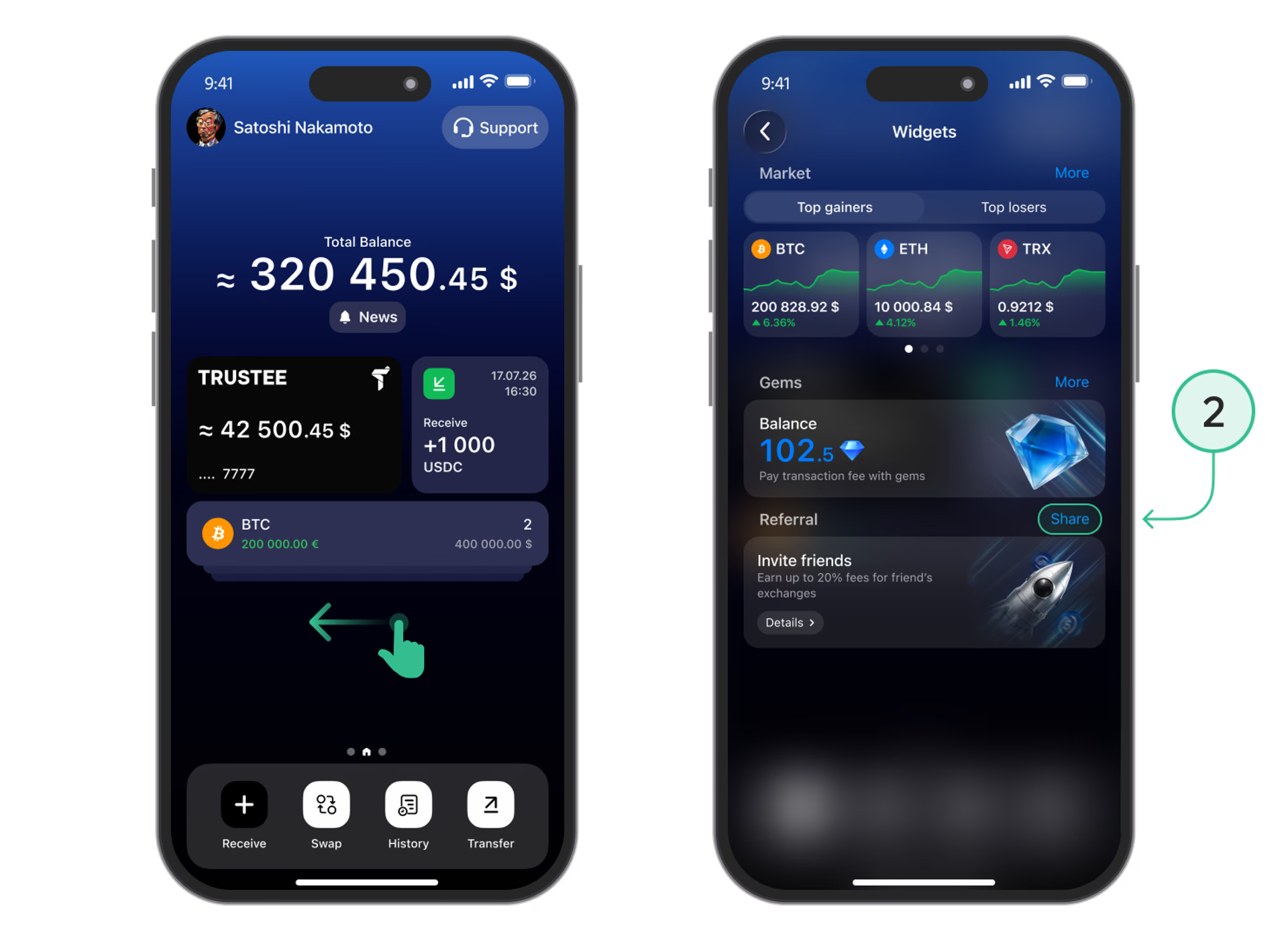
[info content="In this section, you can view your referral link, earnings statistics, and the number of friends who installed the app via your invitation." color="green"] - Choose how to share.
Copy your link, send it using “Share the link,” or share it via Telegram or Instagram Stories. You can also show your friend a QR code.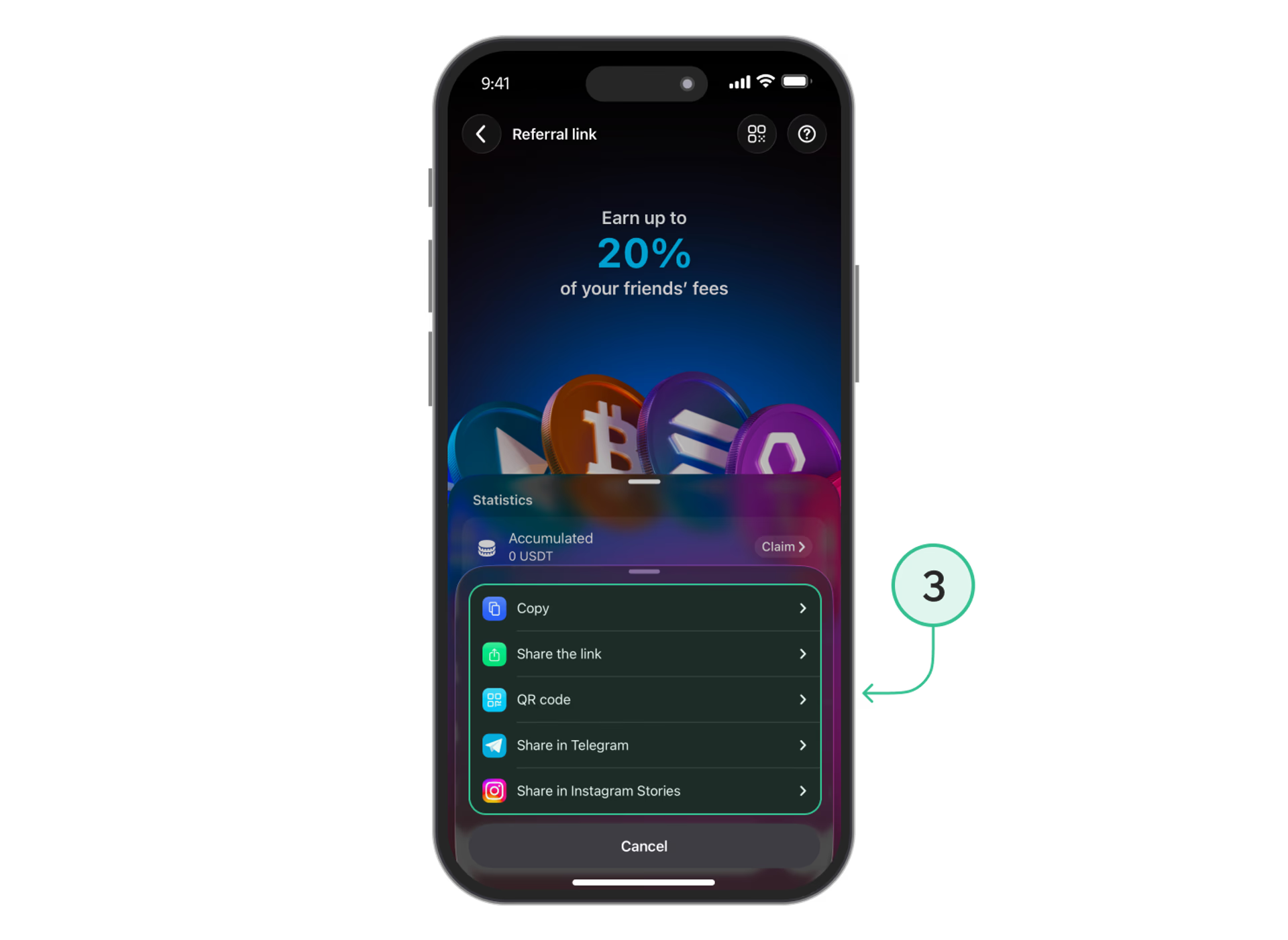
Your friend can follow your link to join Trustee Plus. When they make swaps, you’ll earn rewards according to the referral program’s terms.
Useful instructions:
Install Trustee Plus - a crypto wallet with payment card!
All the benefits in one app



This website uses cookiesIn order to ensure the functionality of the Website and to prepare a statistical analysis of the website visitors' navigation methods, we use cookies. Manage preferences