















































How to use the referral program
Invite friends to Trustee Plus and earn up to 20% of their swap fees. The referral section lets you manage your links, see how many friends you’ve invited, and track your earnings.
Step-by-step guide:
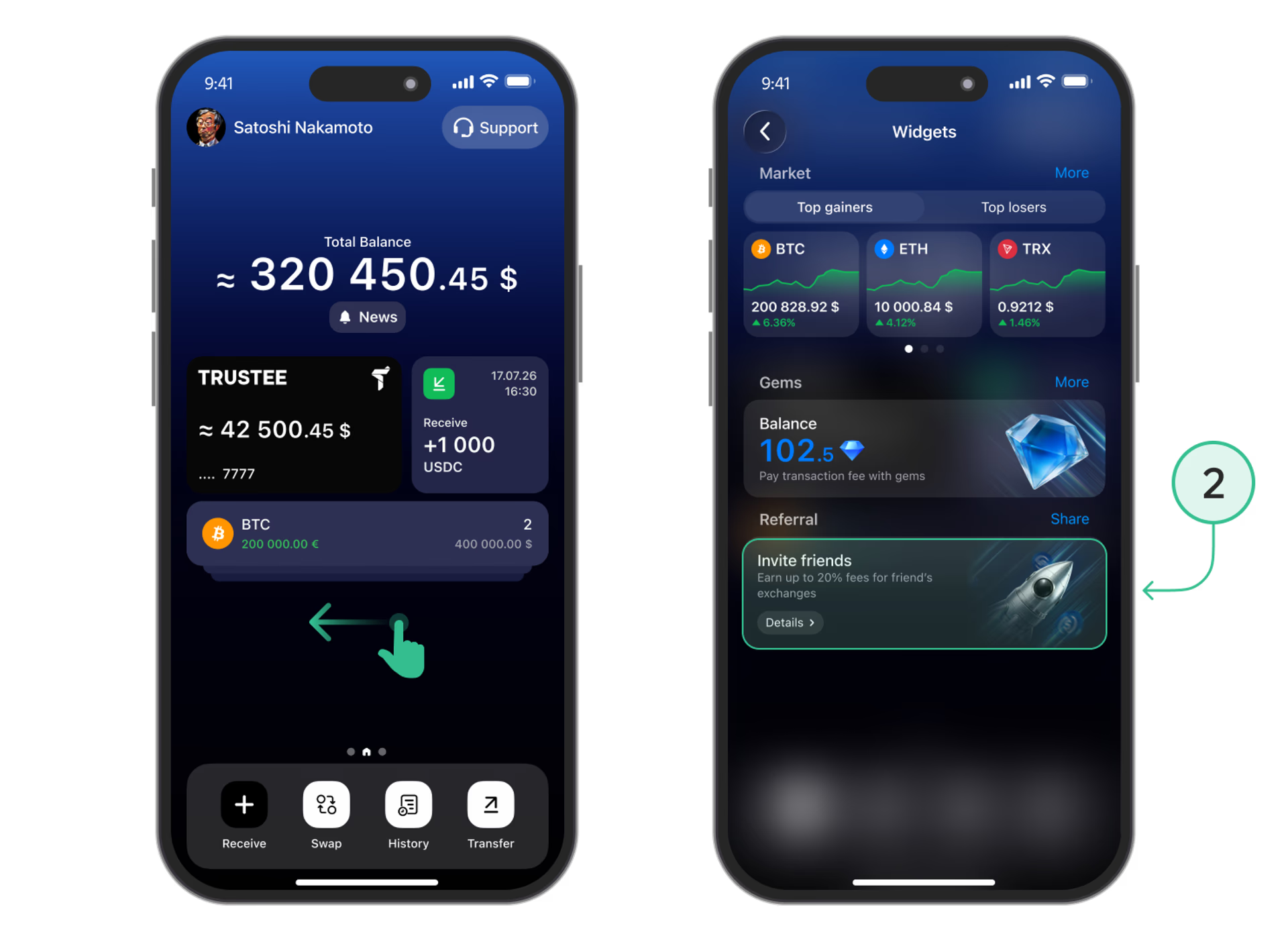
- Open Widgets. Swipe left on the app’s home screen.
- Open the referral program. Tap the “Invite friends” card at the bottom of the screen.
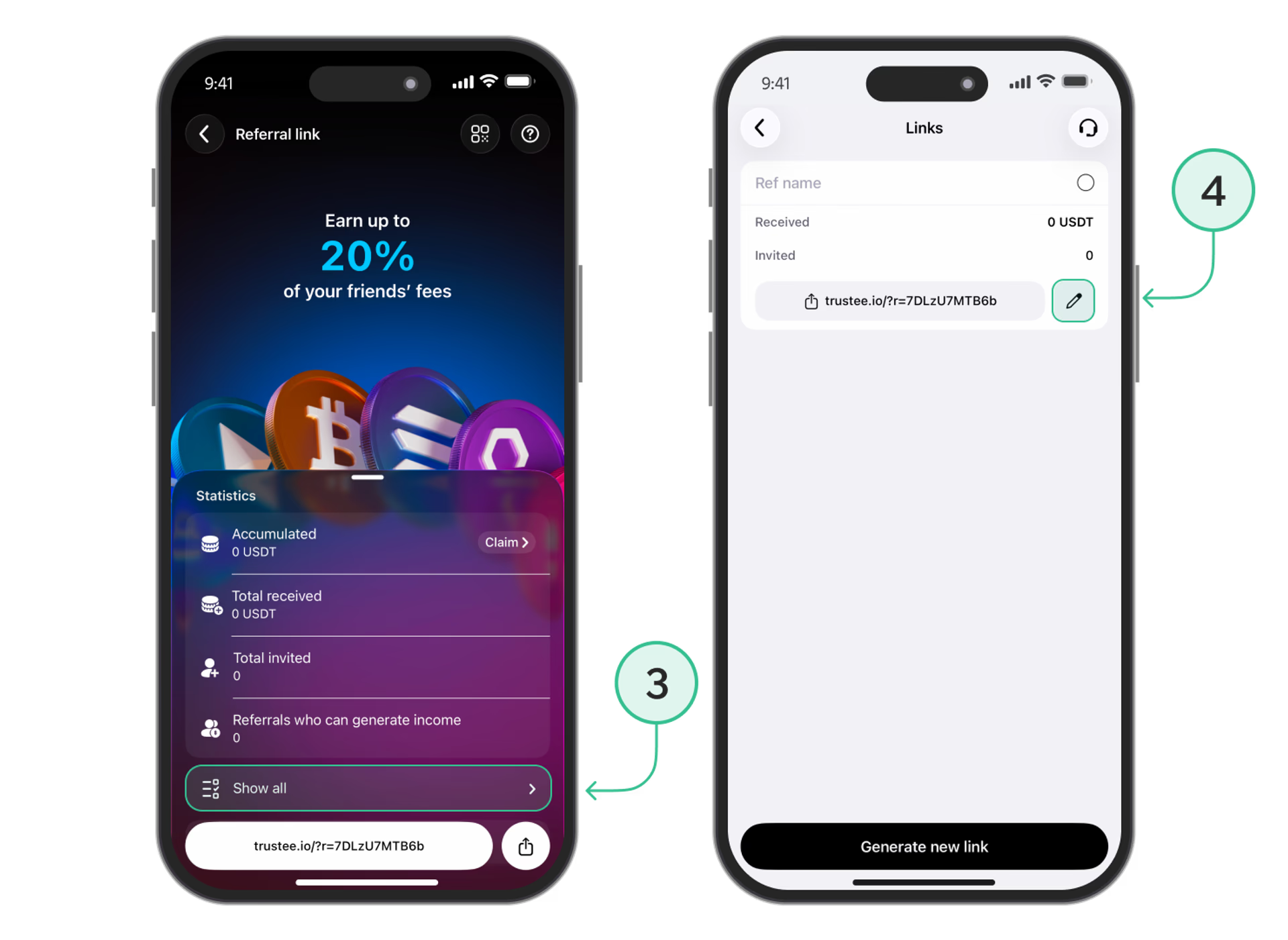
- View your links. In the referral section, tap “Show all” below your statistics.
- Manage your link. Tap the pencil icon next to a link to edit its settings. To create another one, tap “Generate new link”.
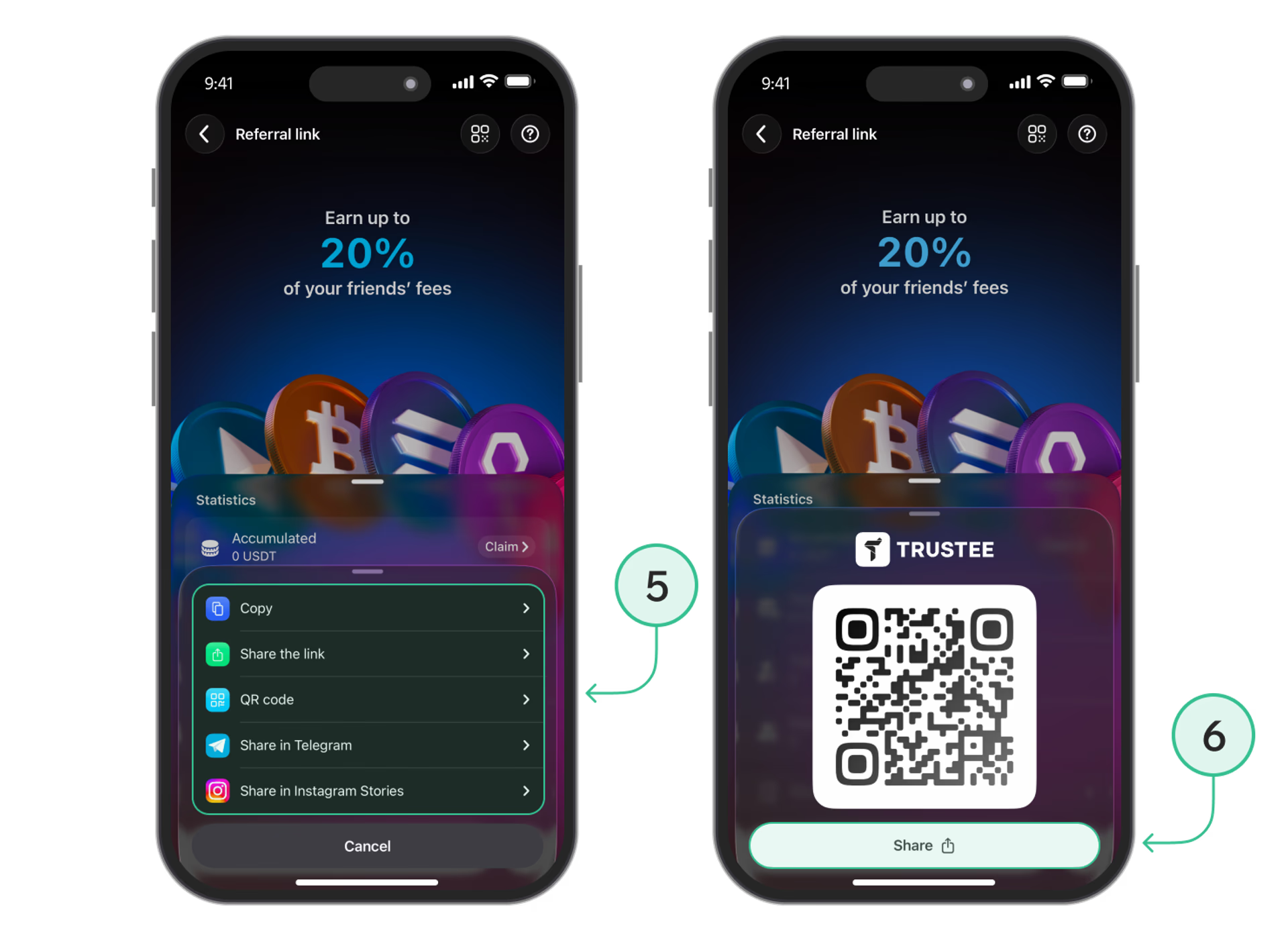
- Share your invitation. Tap the share icon next to your link. Copy it or choose a sharing option: “Share the link”, Telegram, or Instagram Stories.
- Use a QR code. If you prefer to invite a friend using a QR code, select “QR code” from the menu. Show it to your friend to scan or tap “Share” to send it.
Rewards are credited in USDT. You can view your accumulated rewards in the referral statistics and tap “Claim” to collect them.
For full details, visit the Trustee Plus referral program page.
Useful instructions:
Install Trustee Plus - a crypto wallet with payment card!
All the benefits in one app



This website uses cookiesIn order to ensure the functionality of the Website and to prepare a statistical analysis of the website visitors' navigation methods, we use cookies. Manage preferences