














































How to pay transaction fees with GEMS?
Use GEMS as a single asset to pay blockchain fees when sending any supported coin from your Trustee Plus self-custody wallet.
- Tap “Transfer” on the home screen.
This opens the transfer type menu. - Select “Transfer to crypto address”.
Use this option to send crypto to another wallet address.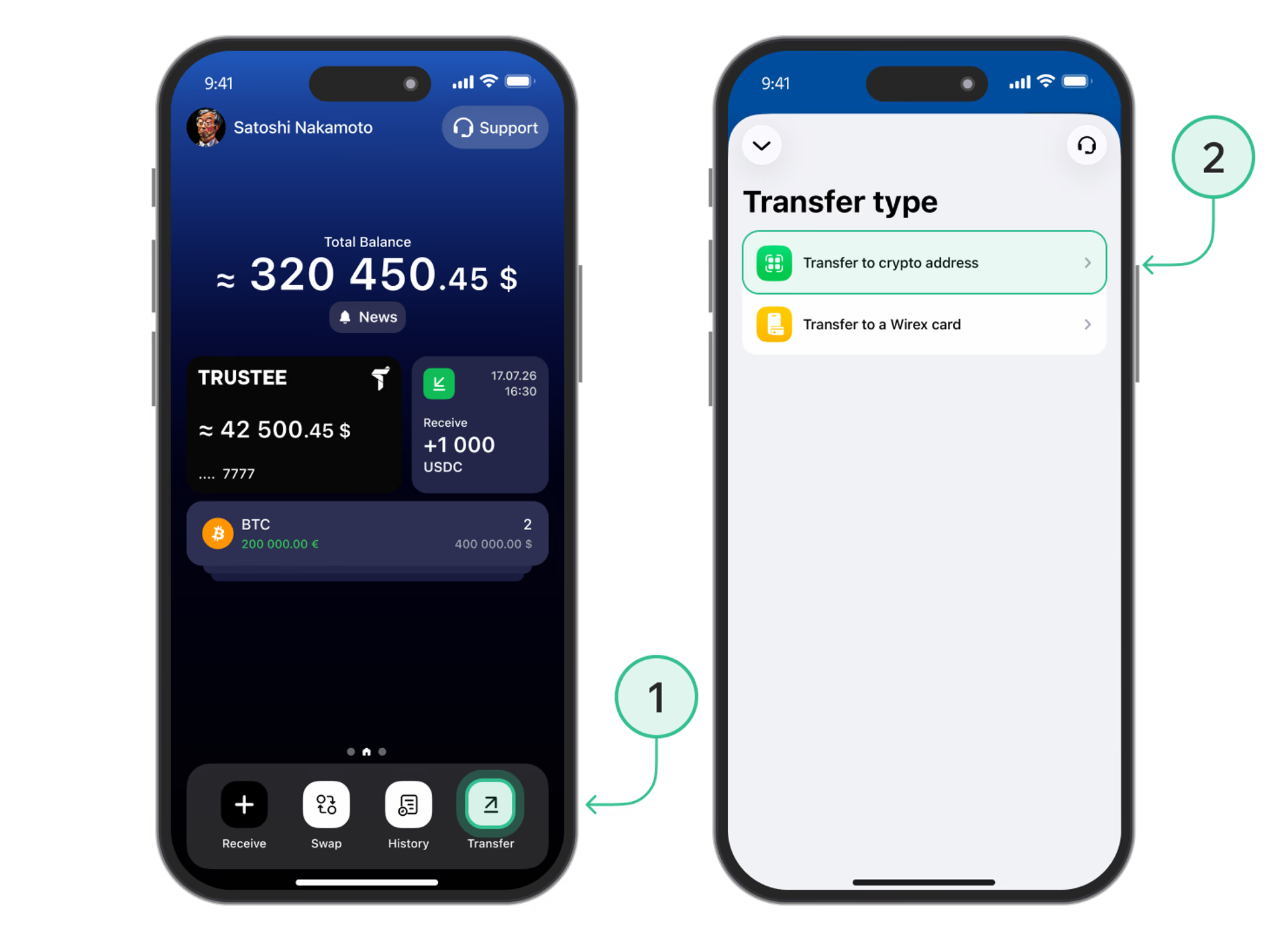
- Enter the recipient’s address and select the network.
Paste the address or scan the QR code, choose the appropriate network, and tap “Next”. - Enter the transfer amount and open the fee payment options.
Tap the fee amount with the arrow in the “Fee” row.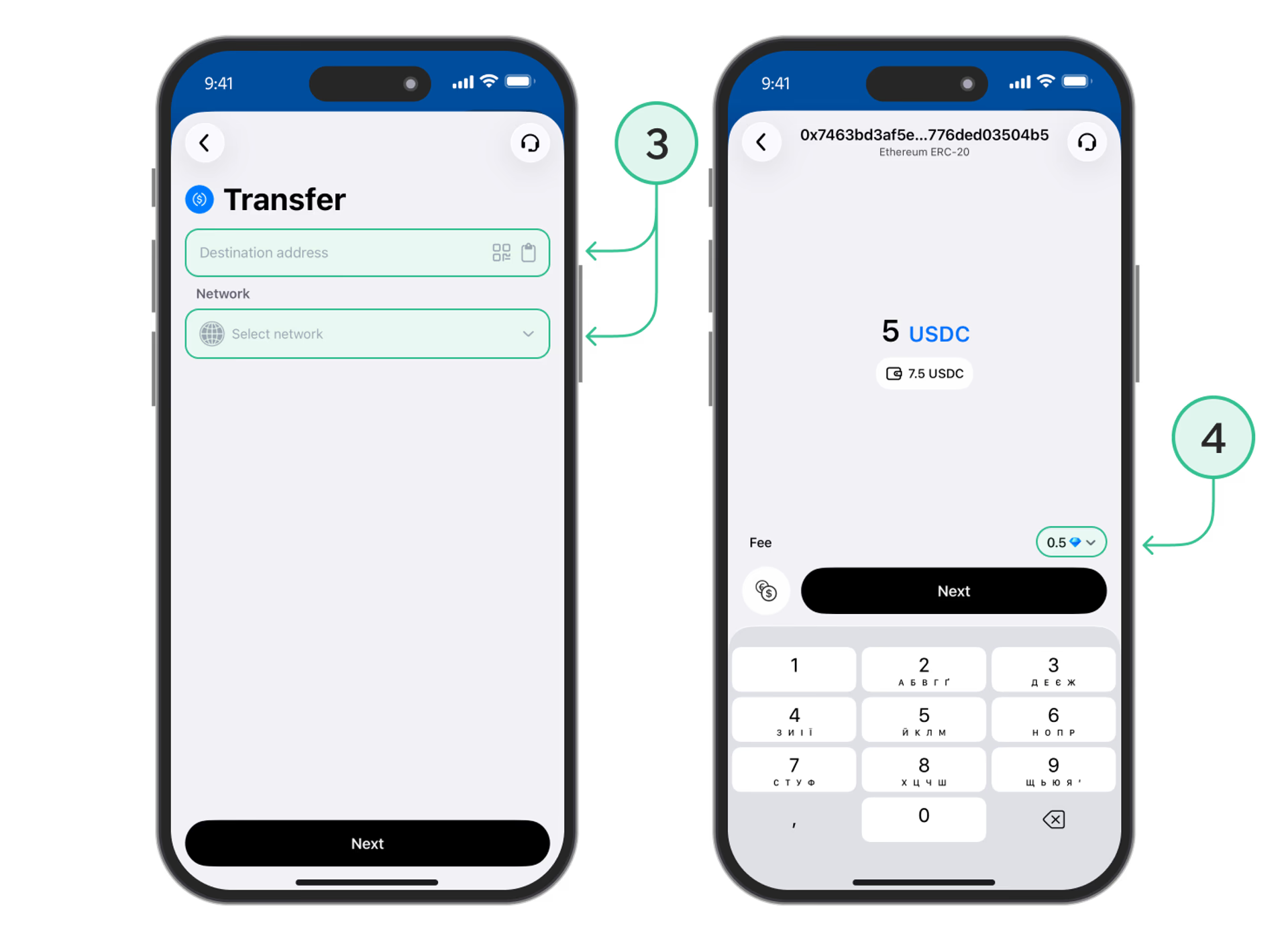
- Select “Gems” and tap “Apply”.
Check your GEMS balance under “Balance” and the amount needed under “Required”. Apply your selection, then tap “Next” to review the transfer. - Review the details and tap “Send”.
Make sure the recipient’s address, network, and amount are correct and the fee is shown in GEMS. Confirm the transfer.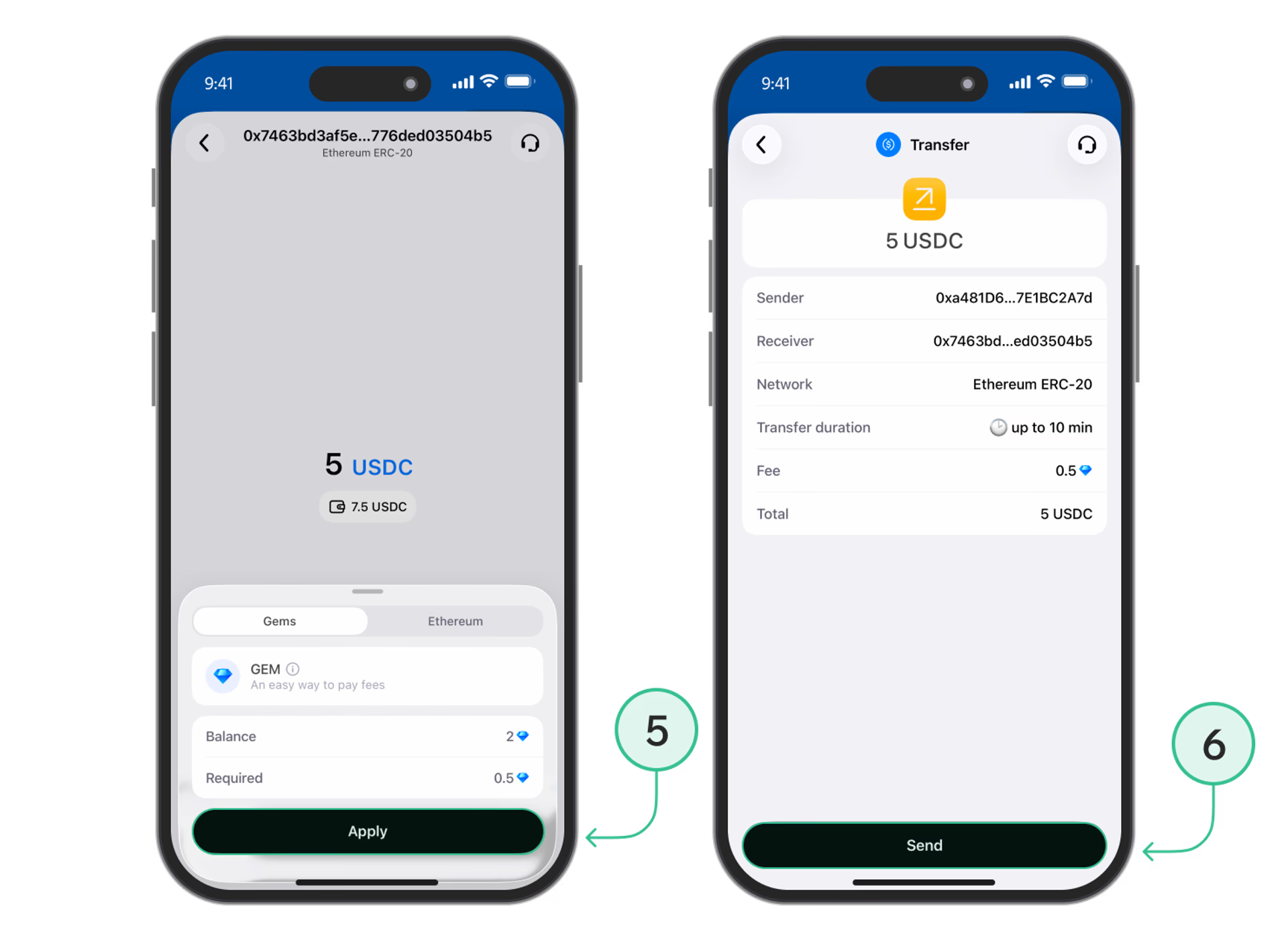
Not enough GEMS?
Top up your balance by following the “How to get GEMS” instructions, then return to your transfer.
Useful instructions:
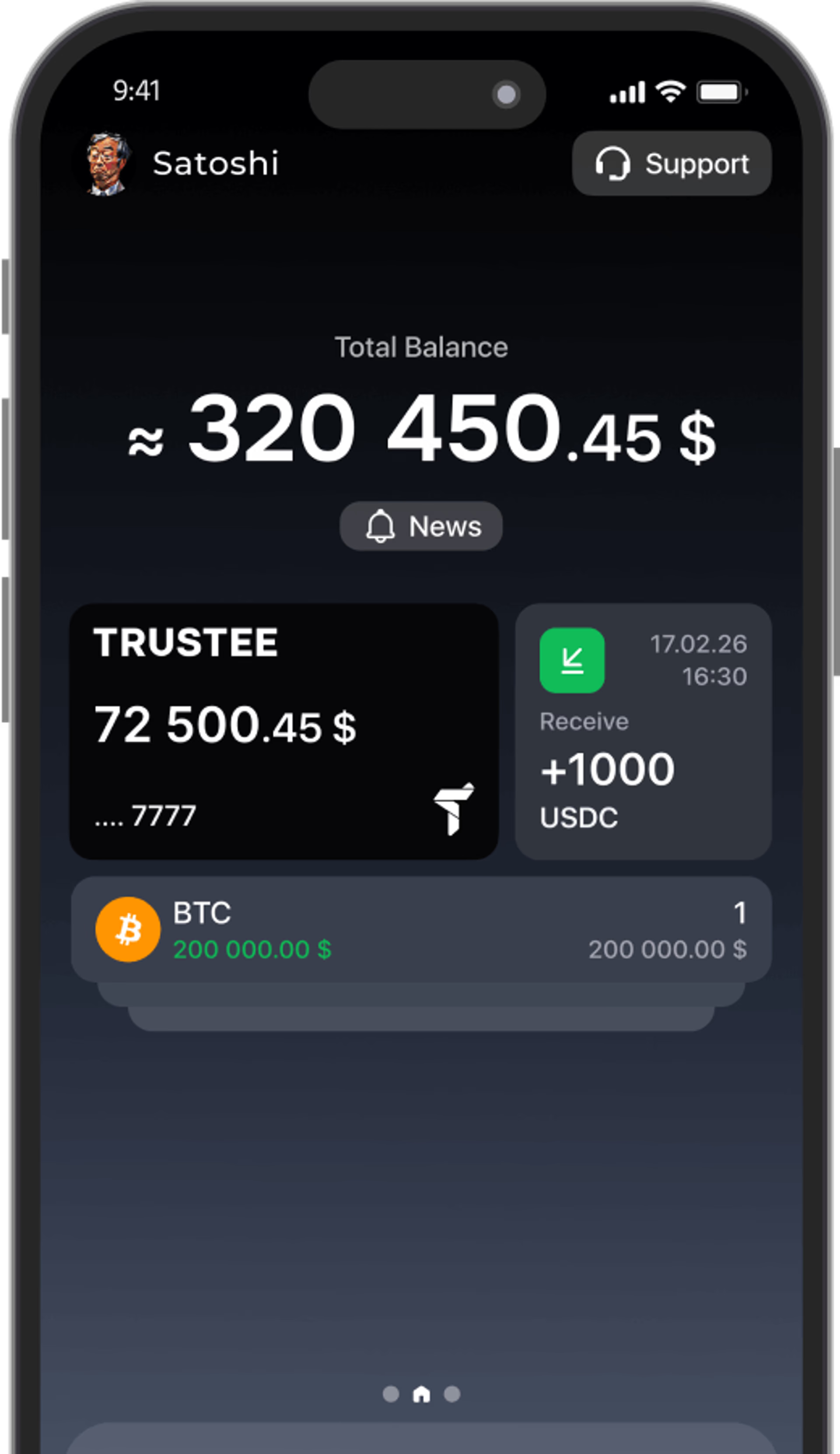
Install Trustee Plus - a crypto wallet with payment card!
All the benefits in one app



This website uses cookiesIn order to ensure the functionality of the Website and to prepare a statistical analysis of the website visitors' navigation methods, we use cookies. Manage preferences