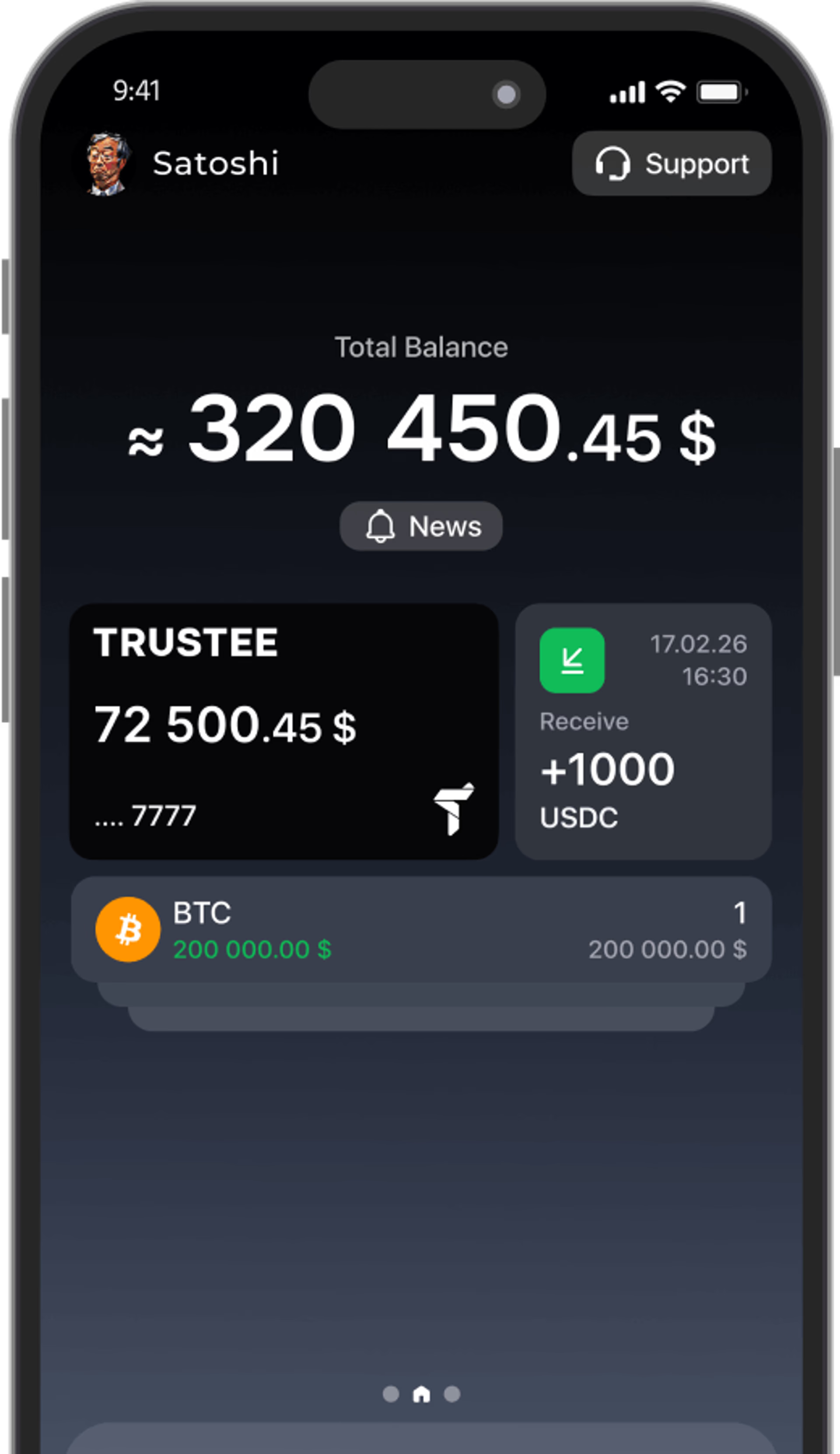















































Attention! A New Way to Log In to Trustee Plus via Google and Apple
- 2 min
- 0
- 45

Now you can log in to Trustee Plus even more easily — using Google or Apple.
Google and Apple are becoming the main ways to log in to your account. If you are using them for the first time, you need to link your Google or Apple account to your phone number once.
How do I sign in using the new method?
If you no longer see the previous option to sign in with your phone number on the login screen, don’t worry. Your account and funds are still there. To regain access, you need to link a new email address to your account.
- On the login screen, tap “Show more”.
- Enter the phone number linked to your Trustee Plus account.
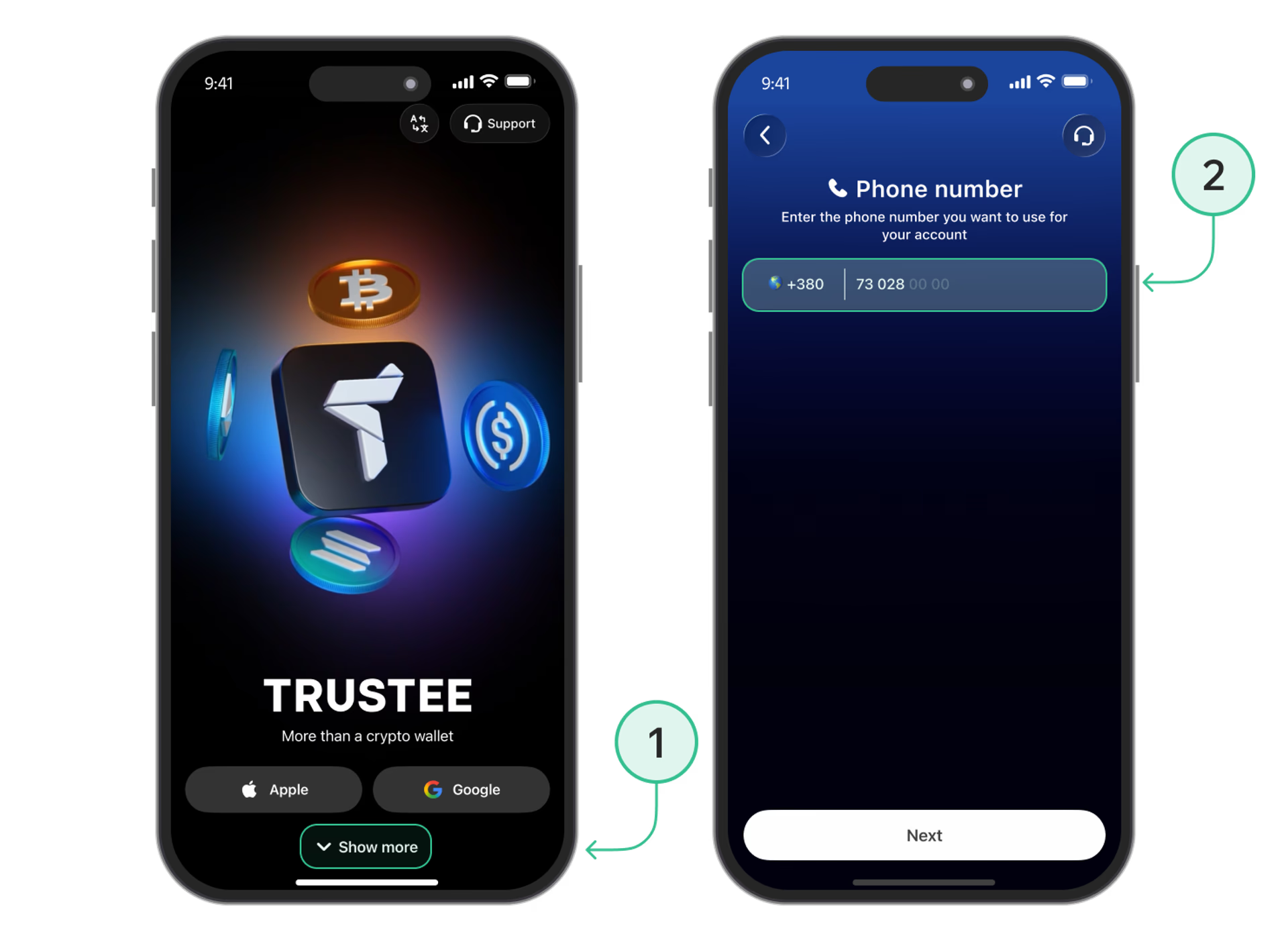
- Verify your number using the SMS code.
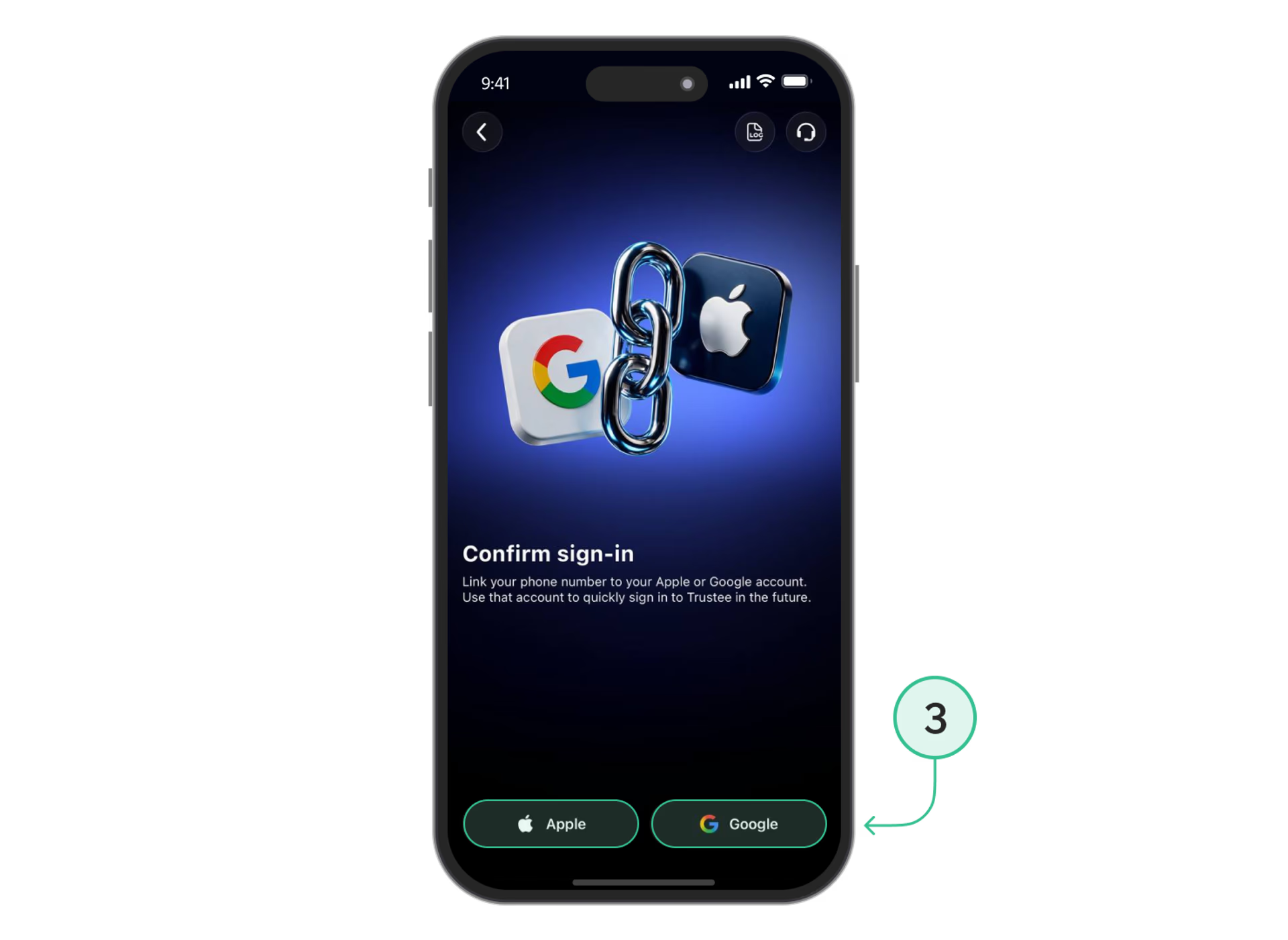
- Choose the email address you want to link to your account — Google or Apple.
- Once confirmed, the email address will be linked to your existing account, and you’ll be able to use it to sign in.
If you are already logged in
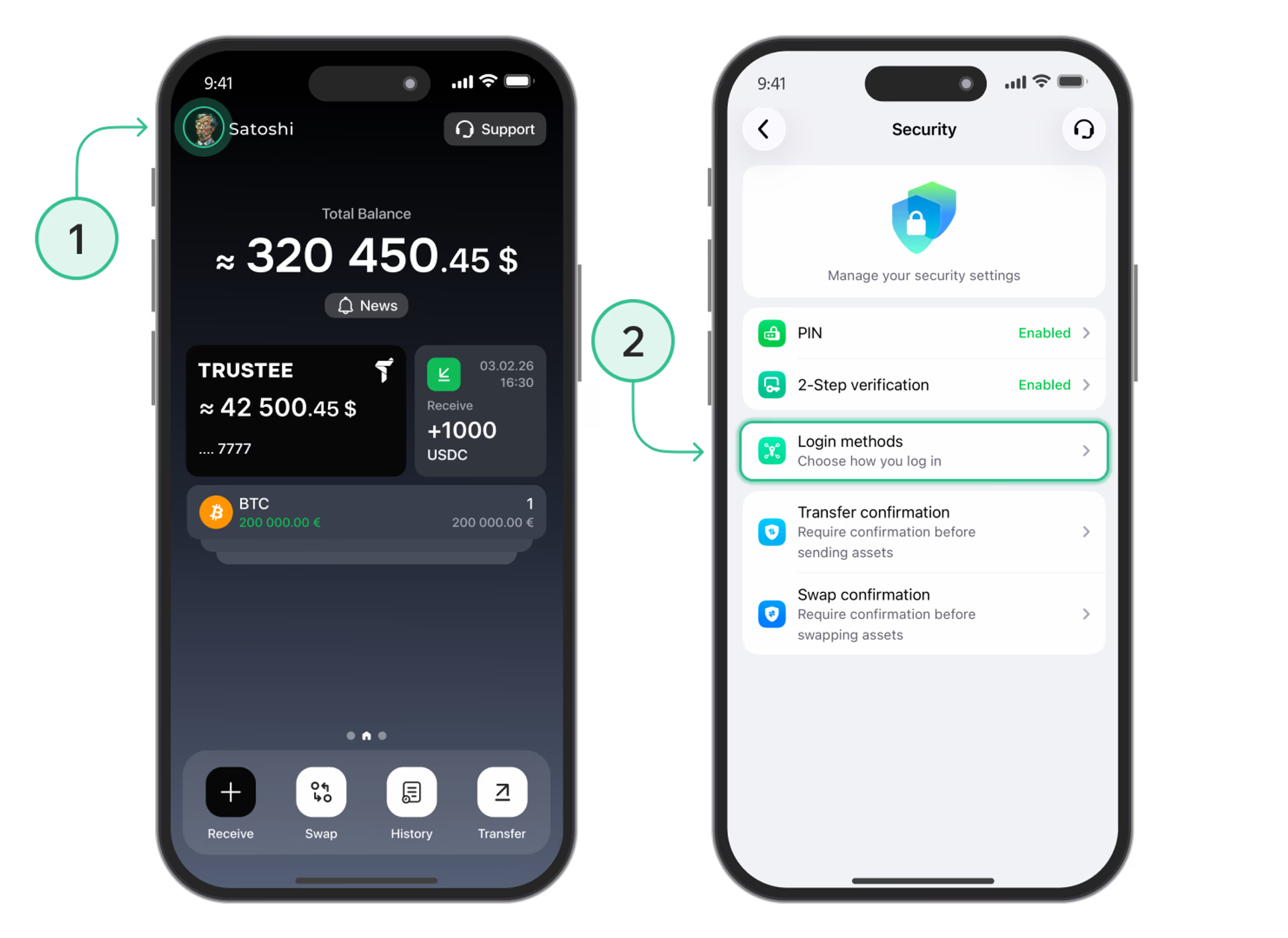
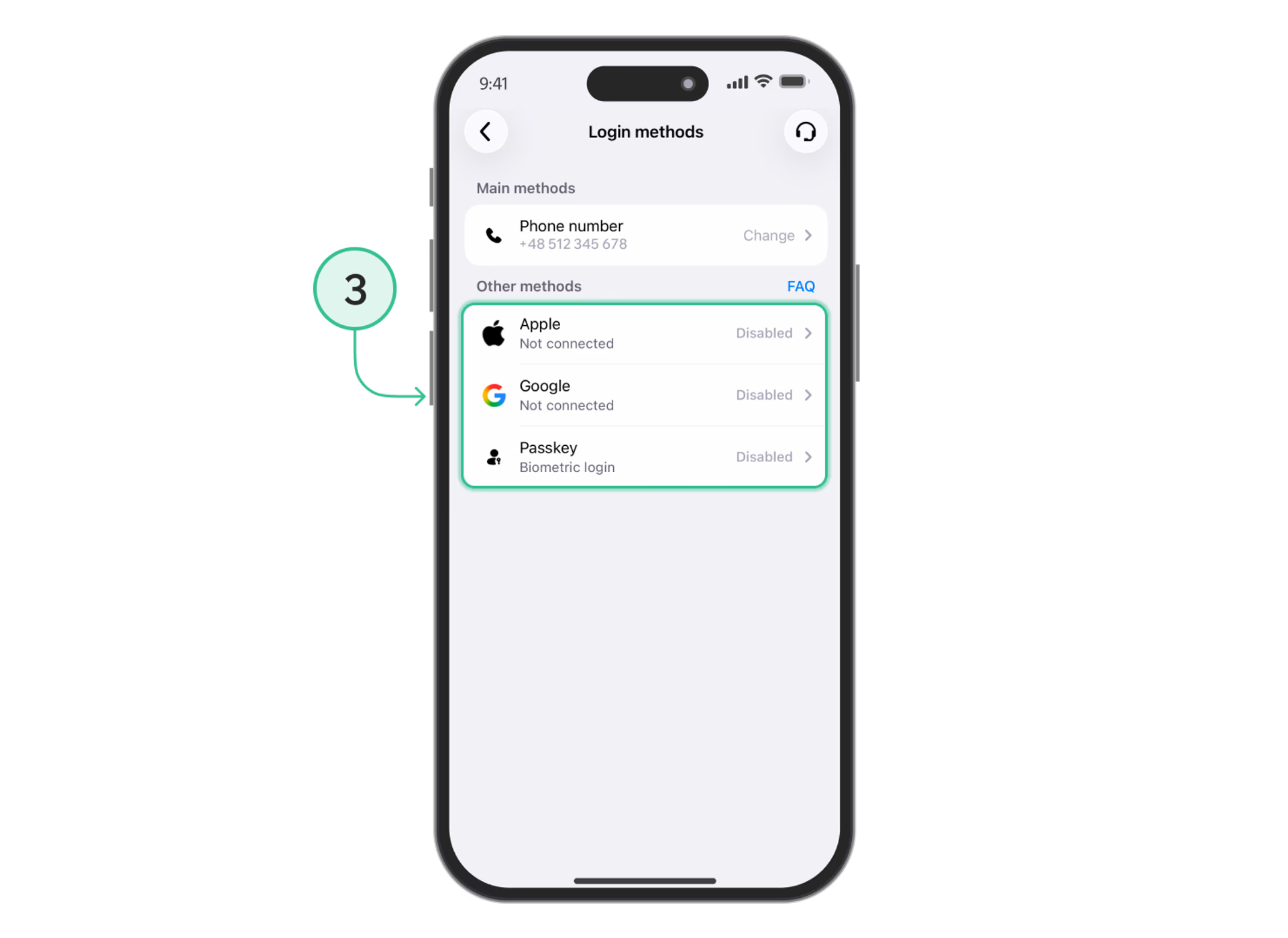
If you are already logged in to your Trustee Plus account and haven’t linked Google, Apple, or Passkey yet, you can do so in the settings:
-
Open your profile at the top of the screen.
-
Go to “Security”, then select “Login Methods”.
-
Select Google, Apple, or Passkey
-
Sign in to your Google, Apple, or Passkey account.
-
You have successfully linked your account! You can now use this method to quickly log in on your device.
Why is this necessary?
If you don’t receive the verification code or simply want to log in faster, just select Google, Apple, or Passkey — and you’ll get instant access to your Trustee Plus account.
Add an additional login method now to ensure you always have quick access to your account.
Install Trustee Plus - a crypto wallet with payment card!
All the benefits in one app