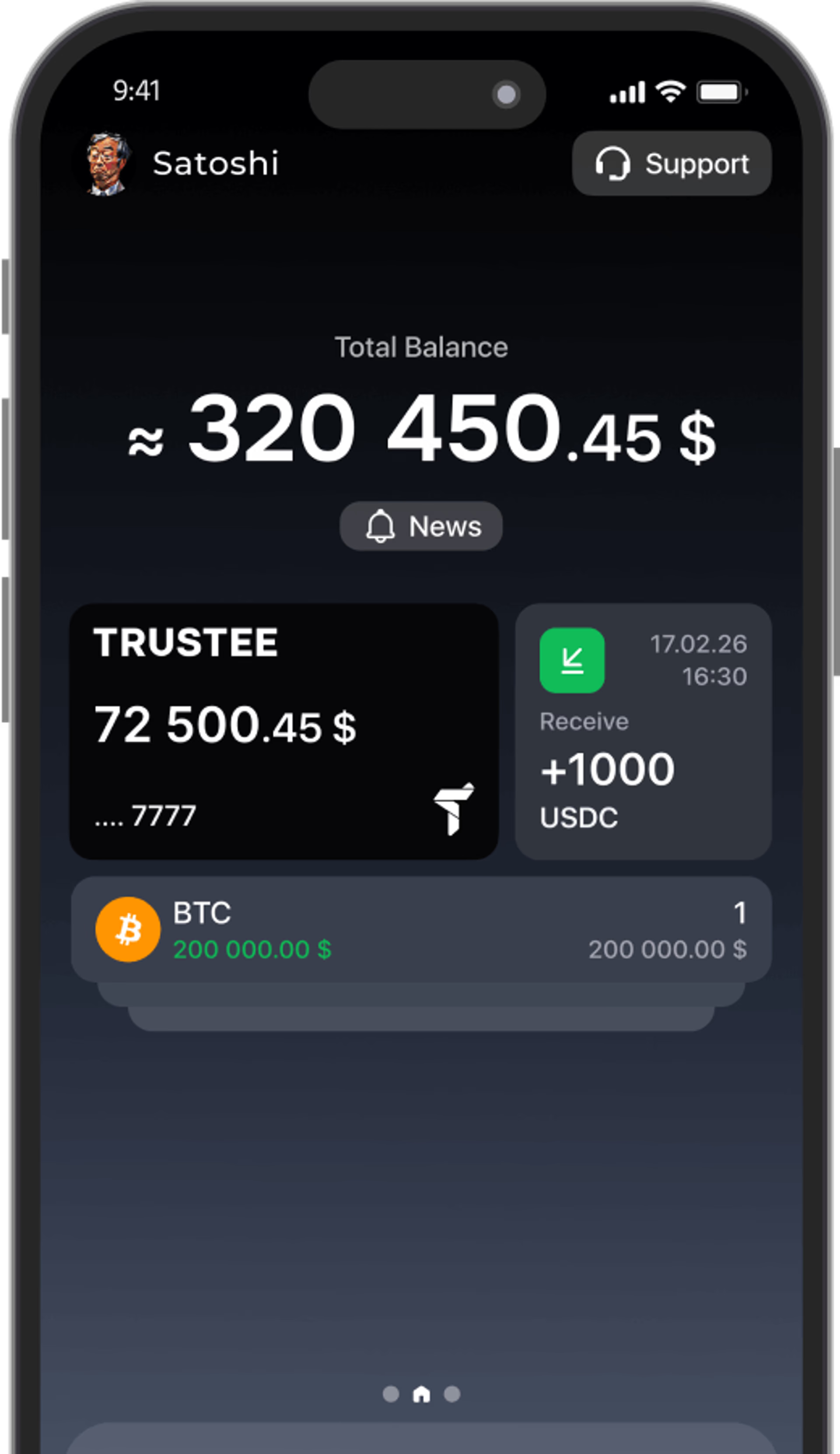



















































You can now log in to Trustee Plus using Google, Apple or Passkey.
These are three available login methods that allow you to quickly access your account without having to use an SMS code every time. For account security, one of these login methods must be linked to your phone number.
Let us look at each method separately.


Login via Google/Apple
If you use Google, you can link your Google account to Trustee Plus and use it for future logins.
If you are already in your account
- Open your profile at the top of the screen.
- Go to the “Security” section, then to “Login methods”.
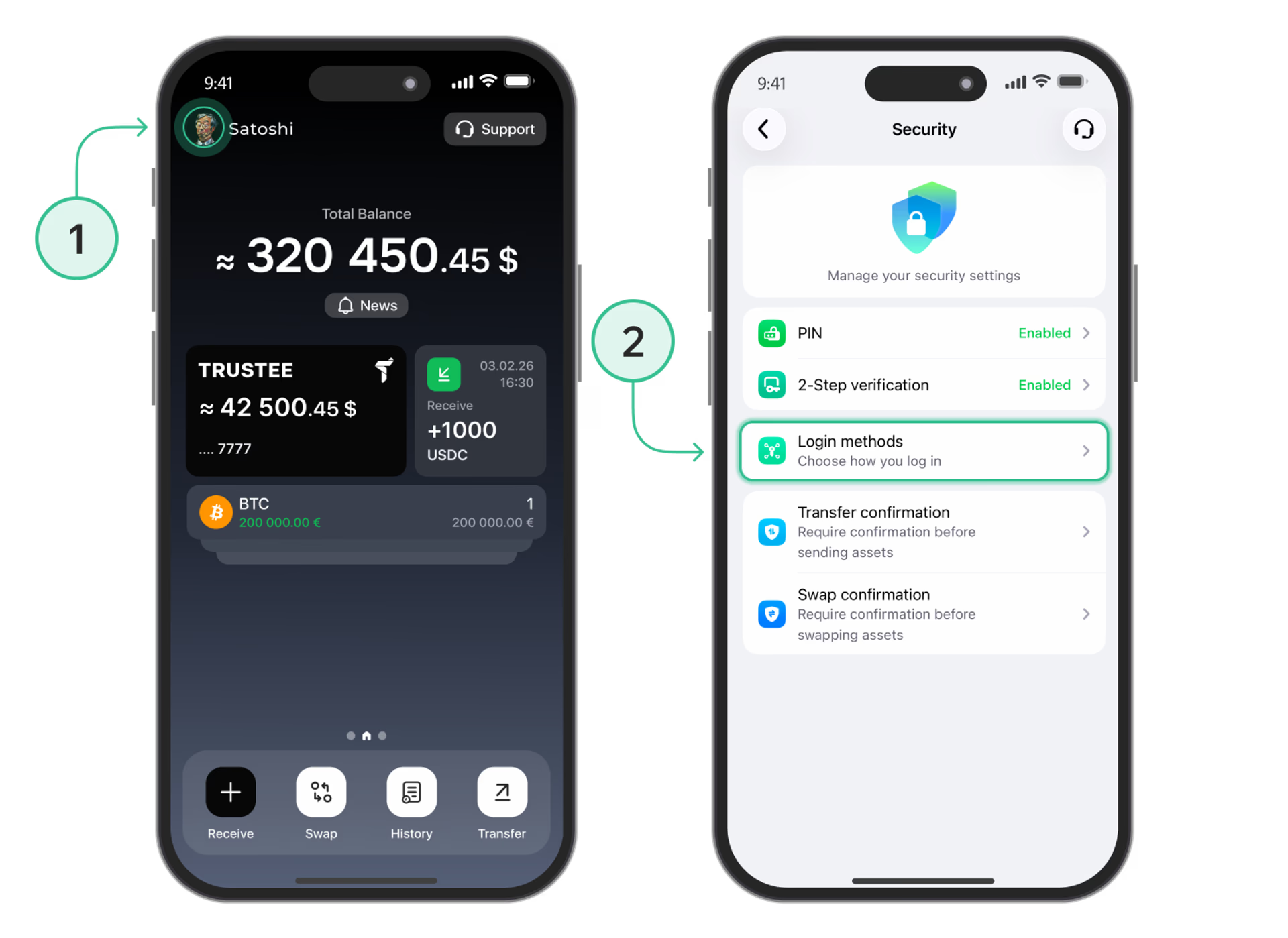
- Choose Google or Apple.
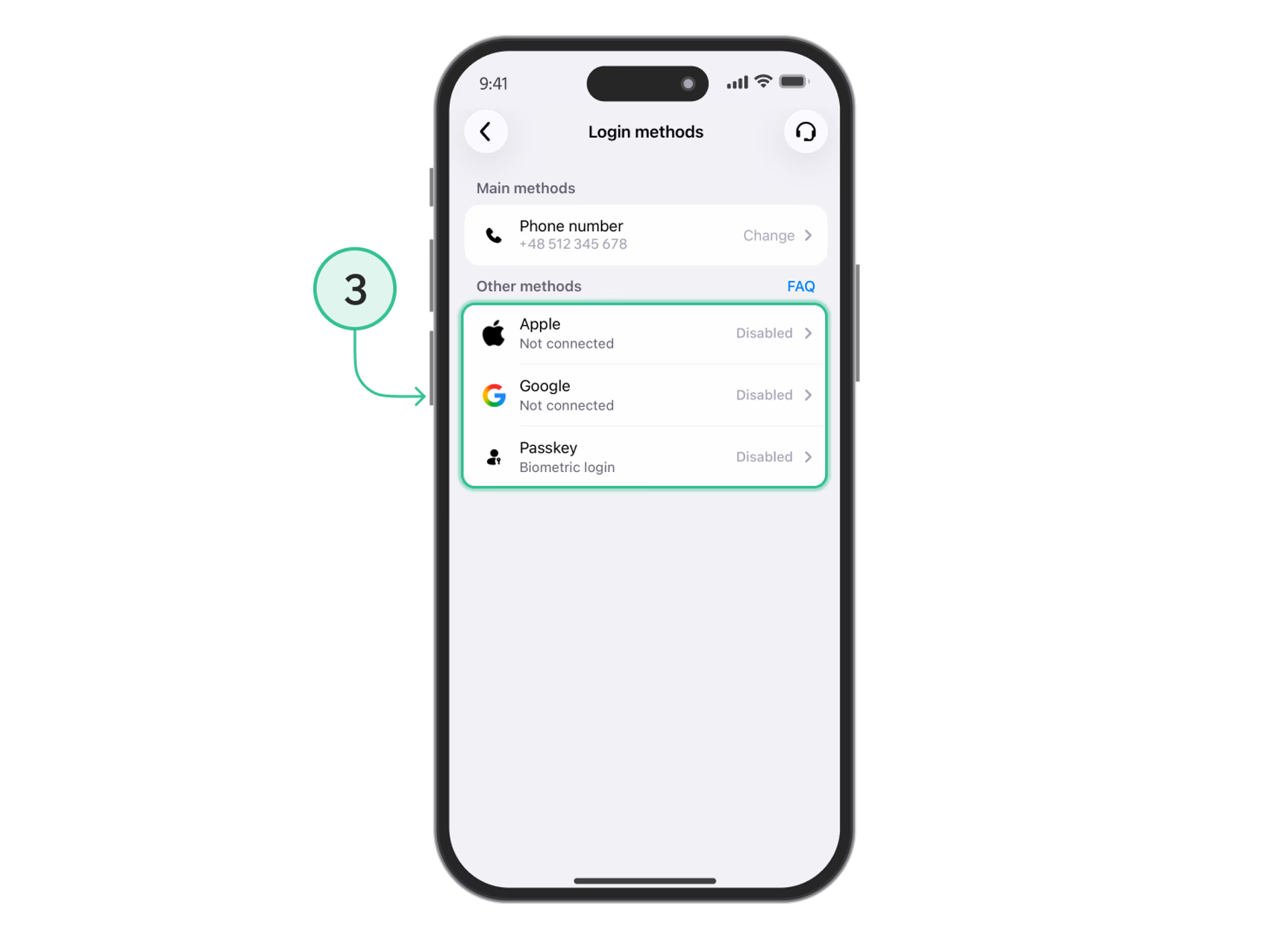
- Log in to your account.
- Confirm the linking.
Done! You can now use your Google or Apple account for quick login to Trustee Plus.
Login with Passkey
Passkey is a login method without a password or SMS code. Your device’s protection is used to confirm your identity — for example, Face ID, Touch ID or a lock code.
You can create and link a Passkey to your Trustee Plus account in the settings:
- Open your profile.
- Go to “Security” → “Login methods”.
- Select Passkey.
- Follow the on-screen instructions to create a Passkey.
After that, you will be able to use Passkey for quick login to Trustee Plus.
How do I sign in using the new method?
If you no longer see the previous option to sign in with your phone number on the login screen, don’t worry. Your account and funds are still there. To regain access, you need to link a new email address to your account.
- On the login screen, tap “Show more”.
- Enter the phone number linked to your Trustee Plus account.
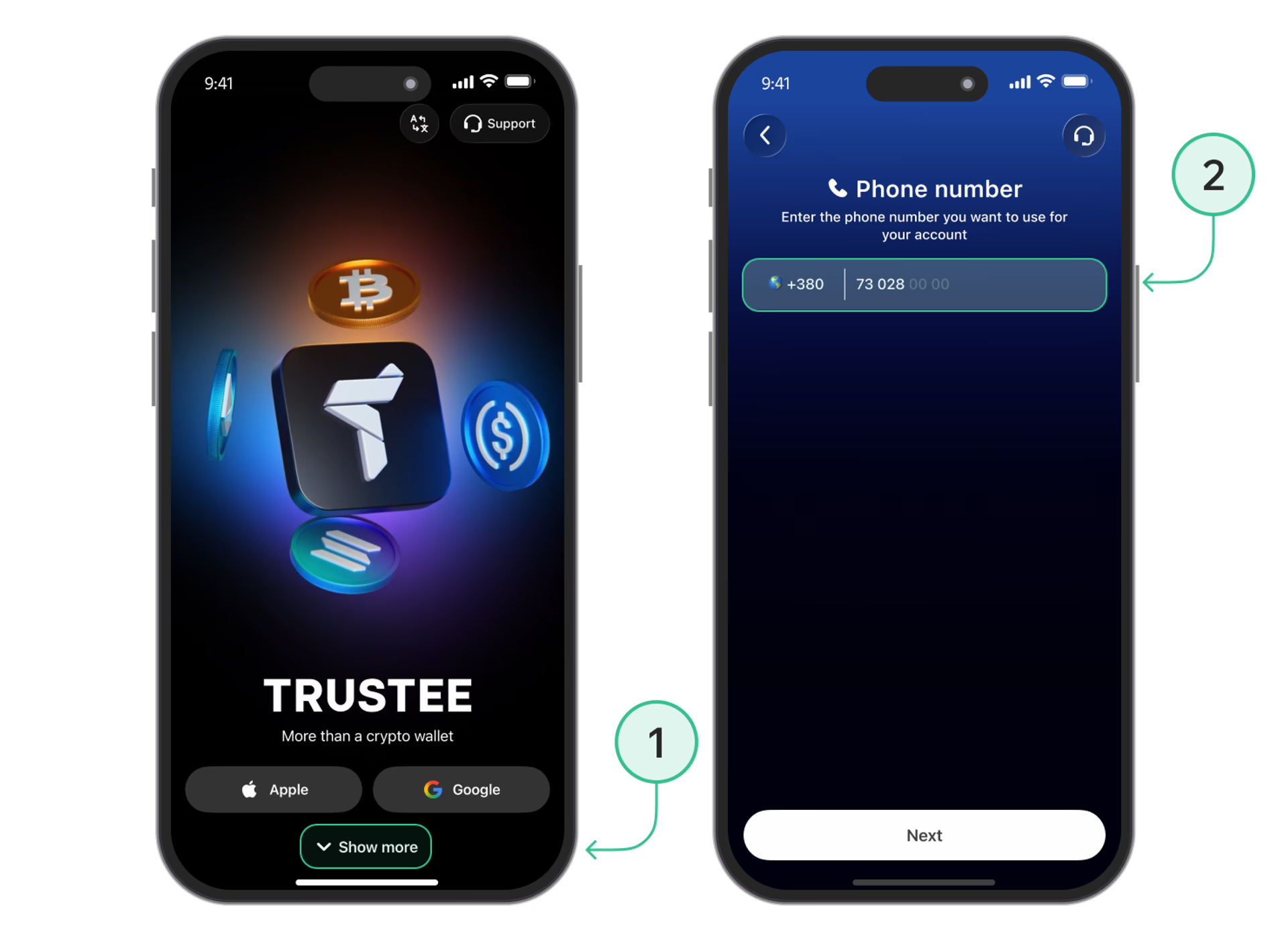
- Verify your number using the SMS code.
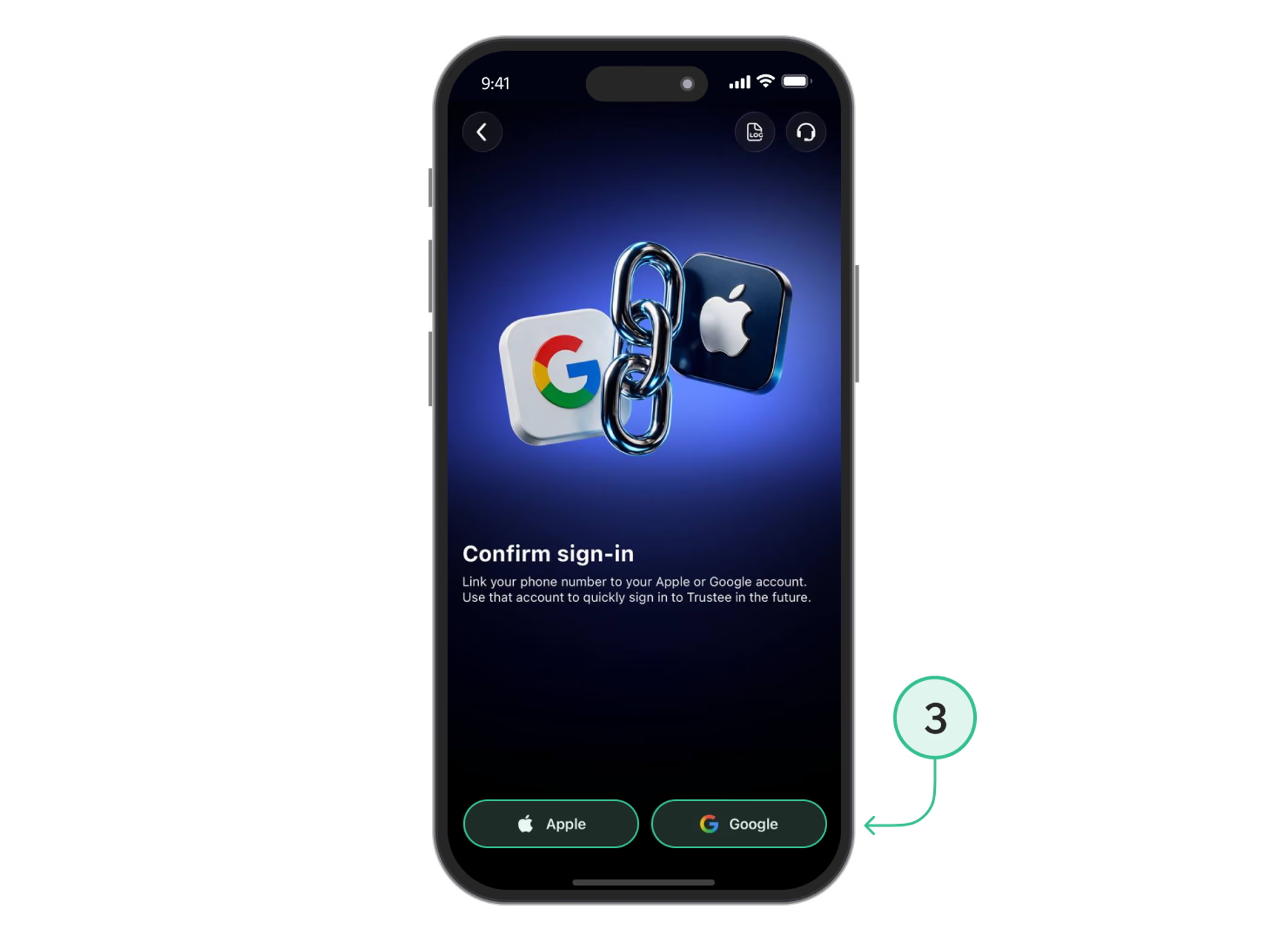
- Choose the email address you want to link to your account — Google or Apple.
- Once confirmed, the email address will be linked to your existing account, and you’ll be able to use it to sign in.
Why link an additional login method?
Google, Apple and Passkey make logging in to Trustee Plus simpler and faster.
- No SMS codes. After linking, you will not need to wait for an SMS every time.
- Quick login. Choose the required method — and immediately get access to your account.
- Additional protection. Google, Apple and Passkey use modern identity verification methods.
We recommend linking at least one additional login method so that you have quick access to your account.
FAQ
I no longer see login by phone number. Has my account disappeared?
No. Your account and funds remain in place. To log in, you now need to use Google, Apple or Passkey. If you have not linked any of these methods yet, Trustee Plus will offer you to confirm your phone number and link a new login method to your existing account.
Do I need to link Google, Apple or Passkey if I already use Trustee Plus?
Yes. If you want to use one of these methods to log in, it must be linked to your account. You can do this in “Profile” - “Security” - “Login methods”.
Will I need to enter my phone number every time?
No. You need to confirm your phone number when linking a login method for the first time. After that, for future logins, it is enough to use Google, Apple or Passkey.
What should I do if I do not remember which phone number I used in Trustee Plus?
Try entering the phone number you used when registering your Trustee Plus account. If you cannot access this number or experience other login issues, contact Trustee Plus support.
What should I do if the SMS code does not arrive?
Check whether the phone number has been entered correctly and try requesting the code again. You can also try confirming it via Telegram. If the code still does not arrive, contact Trustee Plus support.
What is Passkey?
Passkey is a modern login method without a password or SMS code. Your device’s protection is used for authorization, such as Face ID, Touch ID or a lock code.
Can I link several login methods?
Yes. You can link the available login methods — Google, Apple and Passkey — and use the one you need during your next authorization.