














































Glovo is one of the most popular fast delivery services in Ukraine and Europe. With the app, you can order hot meals from restaurants, groceries from supermarkets, medicine from pharmacies or urgent parcels via courier in just a few minutes.
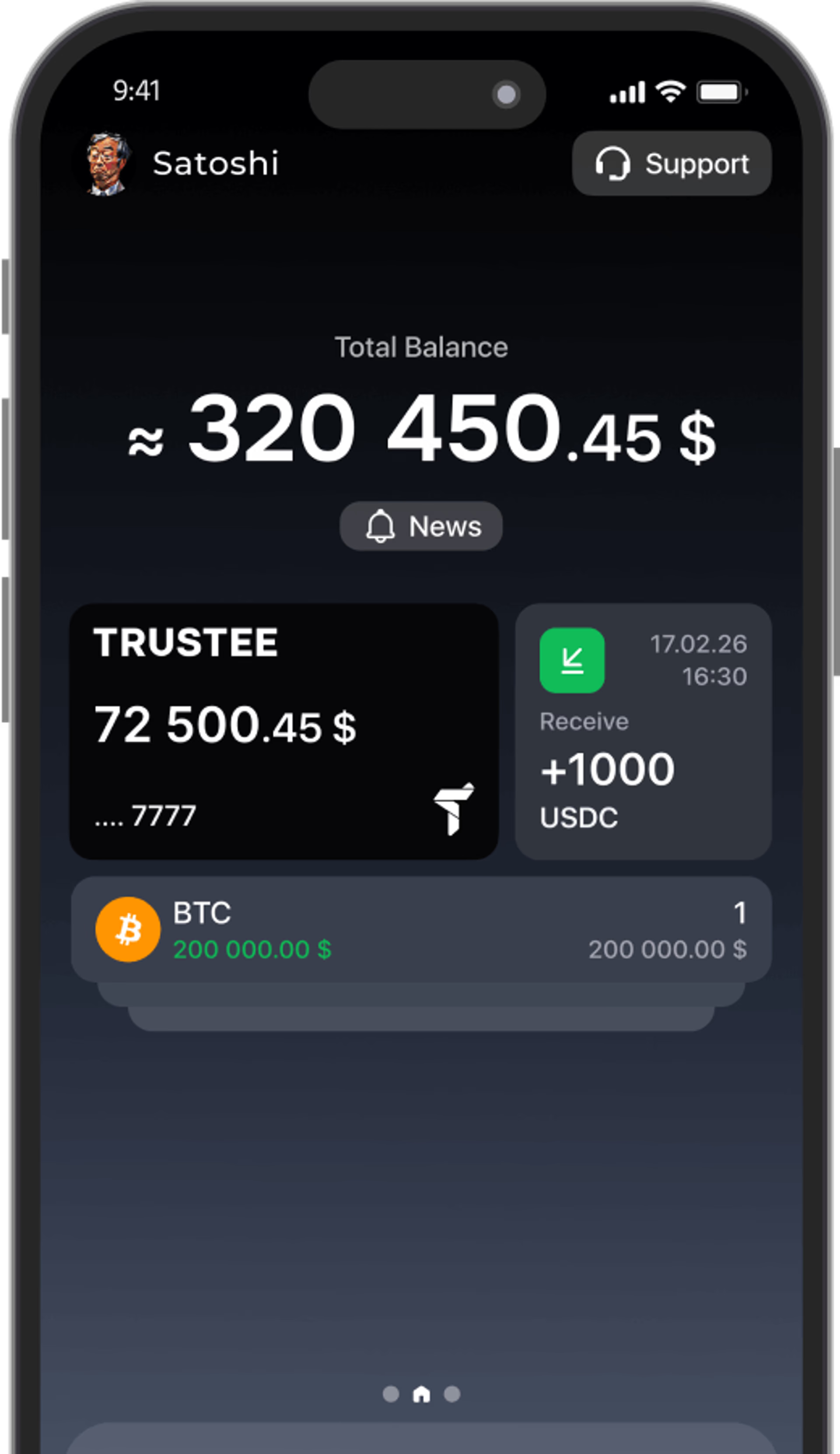
The service does not accept Bitcoin or stablecoins directly. However, you can freely pay with crypto for Glovo orders using the Trustee Plus virtual crypto card added to Apple Pay or Google Pay.
In this guide, we explain in detail how to set up this process.


What payment methods does Glovo support?

Depending on the country and city, the platform offers several standard payment options:
- credit and debit cards (Visa, Mastercard);
- Apple Pay and Google Pay;
- cash, available not for all categories of goods and services.
Glovo does not have a direct option for transferring digital assets, such as making a transaction on the TRC-20 or Bitcoin network. But cryptocurrency can easily be turned into a payment tool: you keep funds in digital assets, while during checkout the service receives a standard card payment.
How to prepare the Trustee Plus card: from registration to Apple Pay/Google Pay
The setup process takes just a few minutes and is done once:
-
Registration and verification
- Download the Trustee Plus app from the App Store or Google Play.
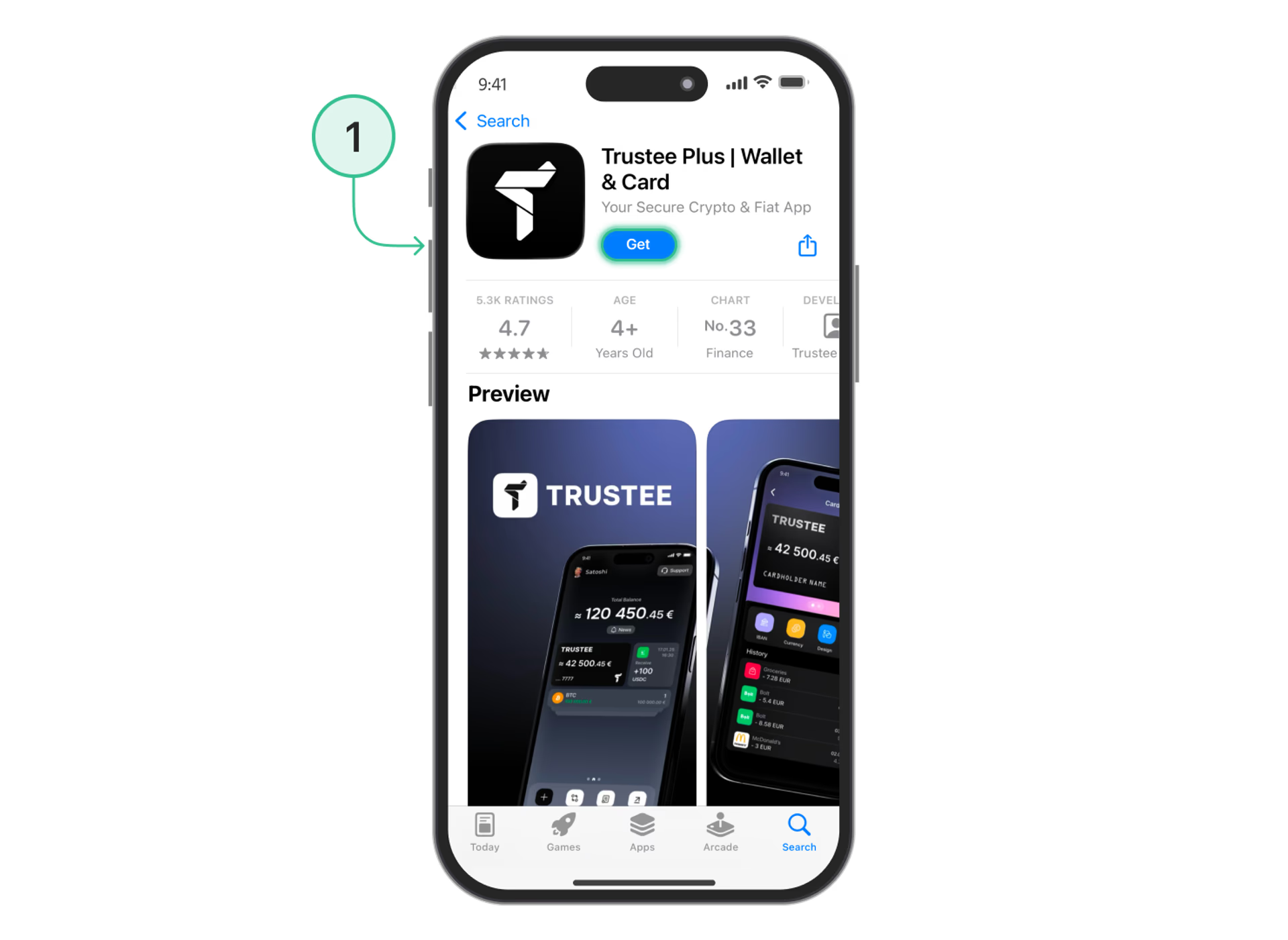
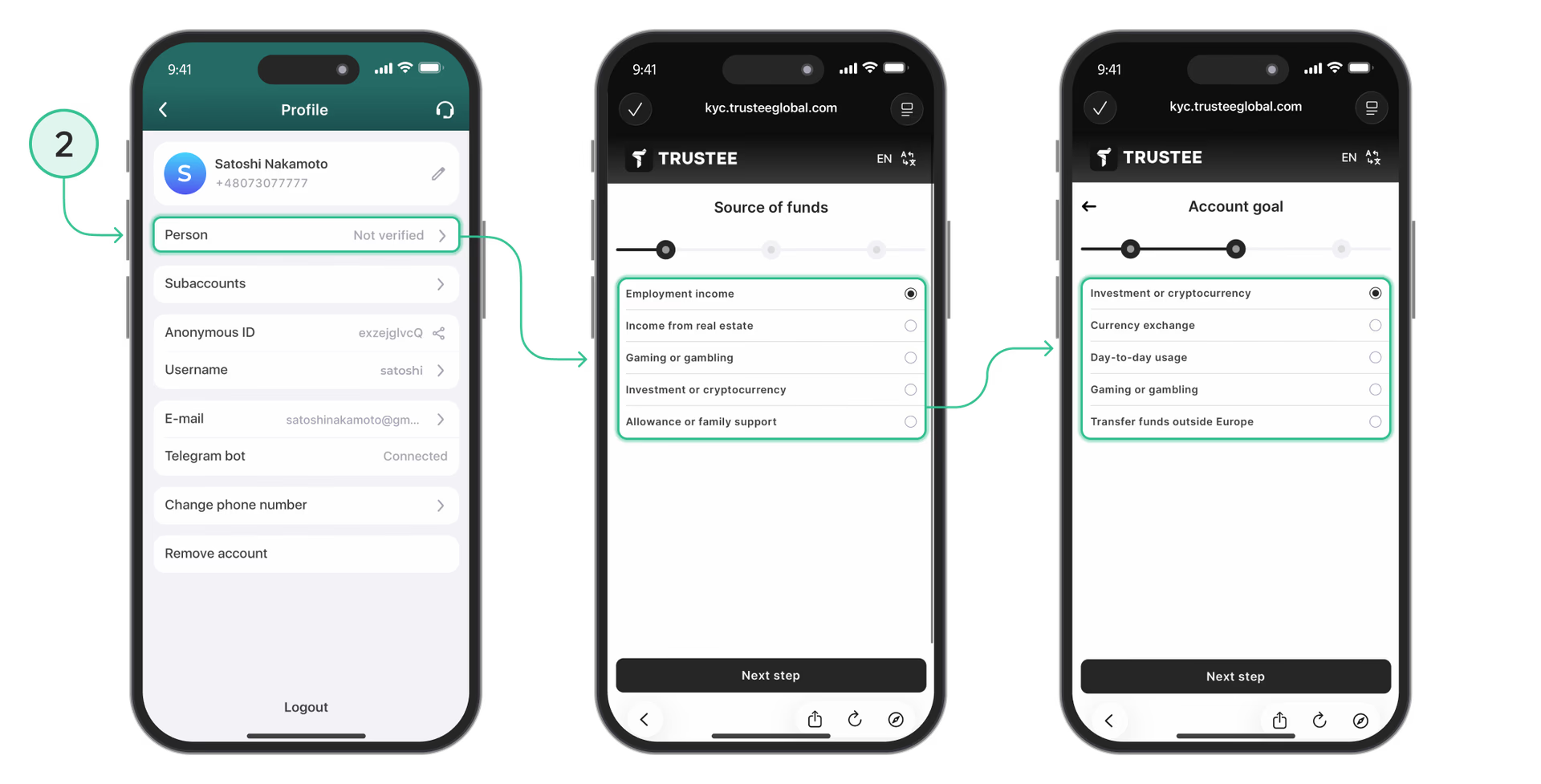
- Complete quick registration using your phone number.
- Complete identity verification (KYC) by following the on-screen instructions. It takes up to 5 minutes.
- Download the Trustee Plus app from the App Store or Google Play.
-
Issuing a virtual card
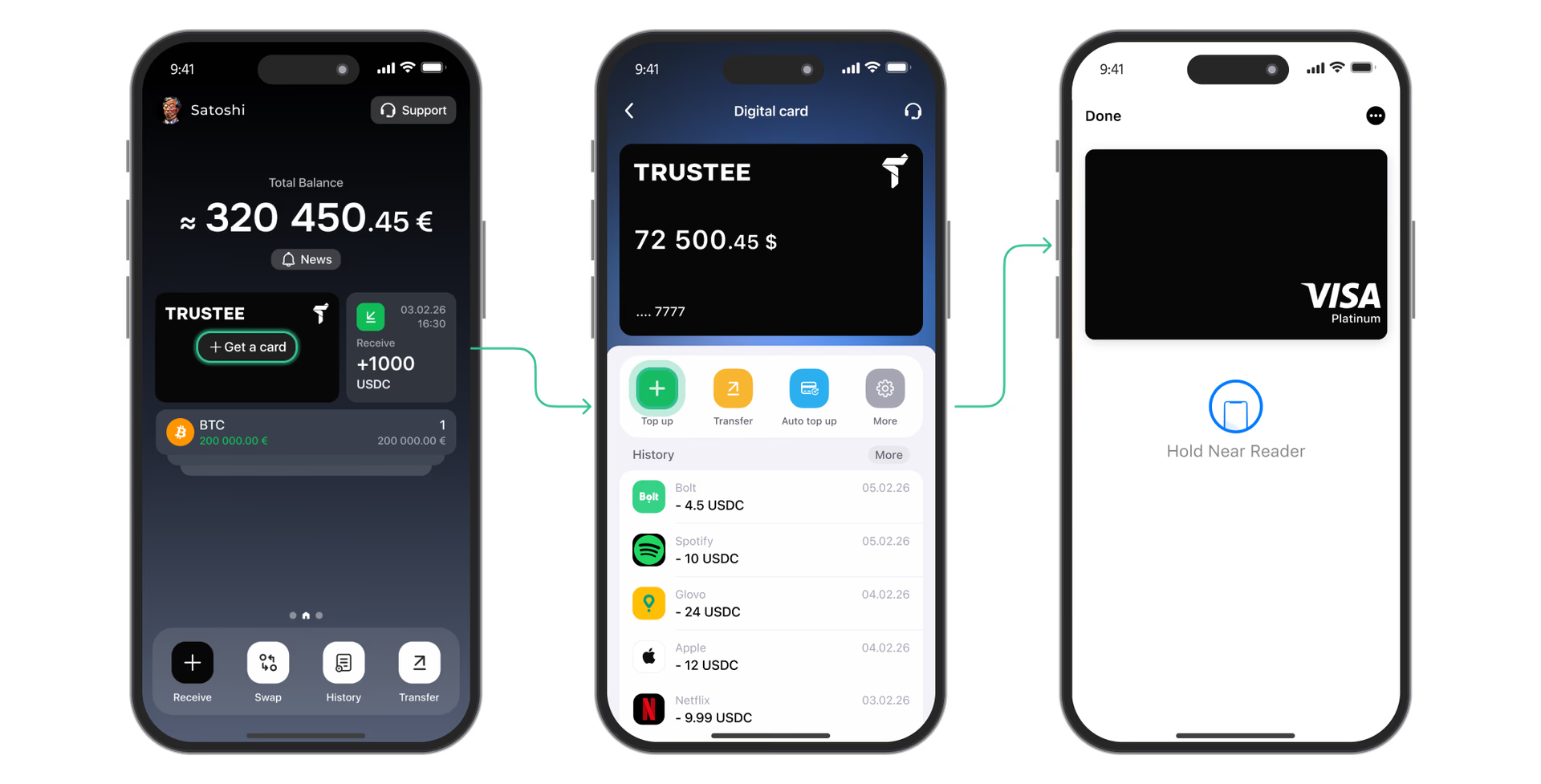
- In the main menu of the app, go to the “Card” section.
- Confirm the issuance of the virtual card. After that, you will instantly receive its full details: number, expiration date and CVC/CVV.
-
Adding it to a digital wallet
- Add the issued card to Apple Wallet or Google Wallet.
- Now your crypto card is ready for contactless payments in any apps and terminals.
Step-by-step guide: how to pay for an order in Glovo with cryptocurrency
To turn your digital assets into a delivered lunch or groceries, follow these simple steps:
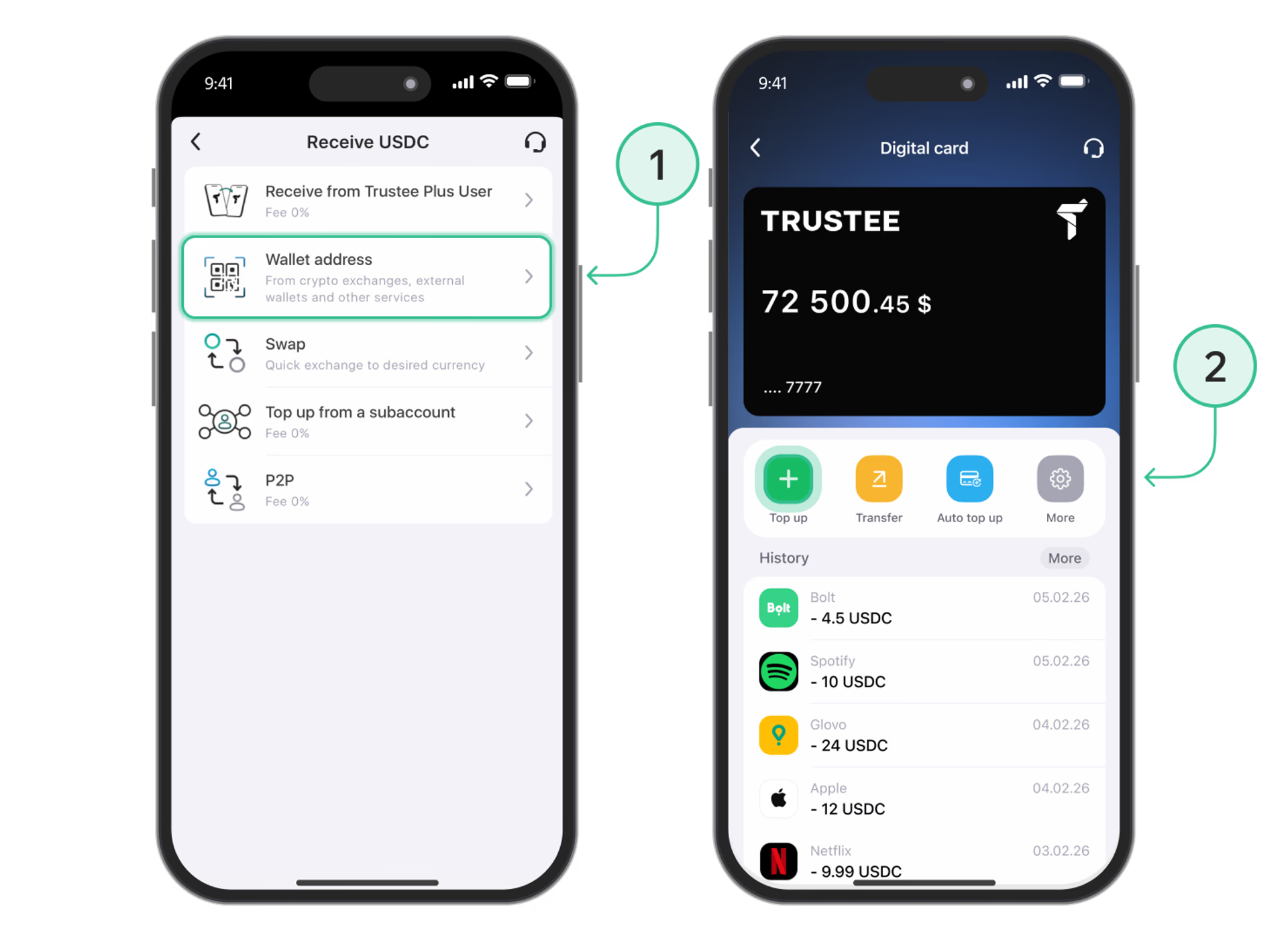
- Top up your crypto wallet: transfer BTC, ETH, USDT or another available cryptocurrency to your Trustee Plus account.
- Top up the card balance: the card has a separate balance, so you need to fund it with the required amount for successful payment.
- Create an order in Glovo: open the Glovo app, add the desired dishes or products to your cart and proceed to the checkout screen.
- Choose contactless payment: in the payment methods section, select Apple Pay or Google Pay, to which the Trustee Plus card has been linked in advance.
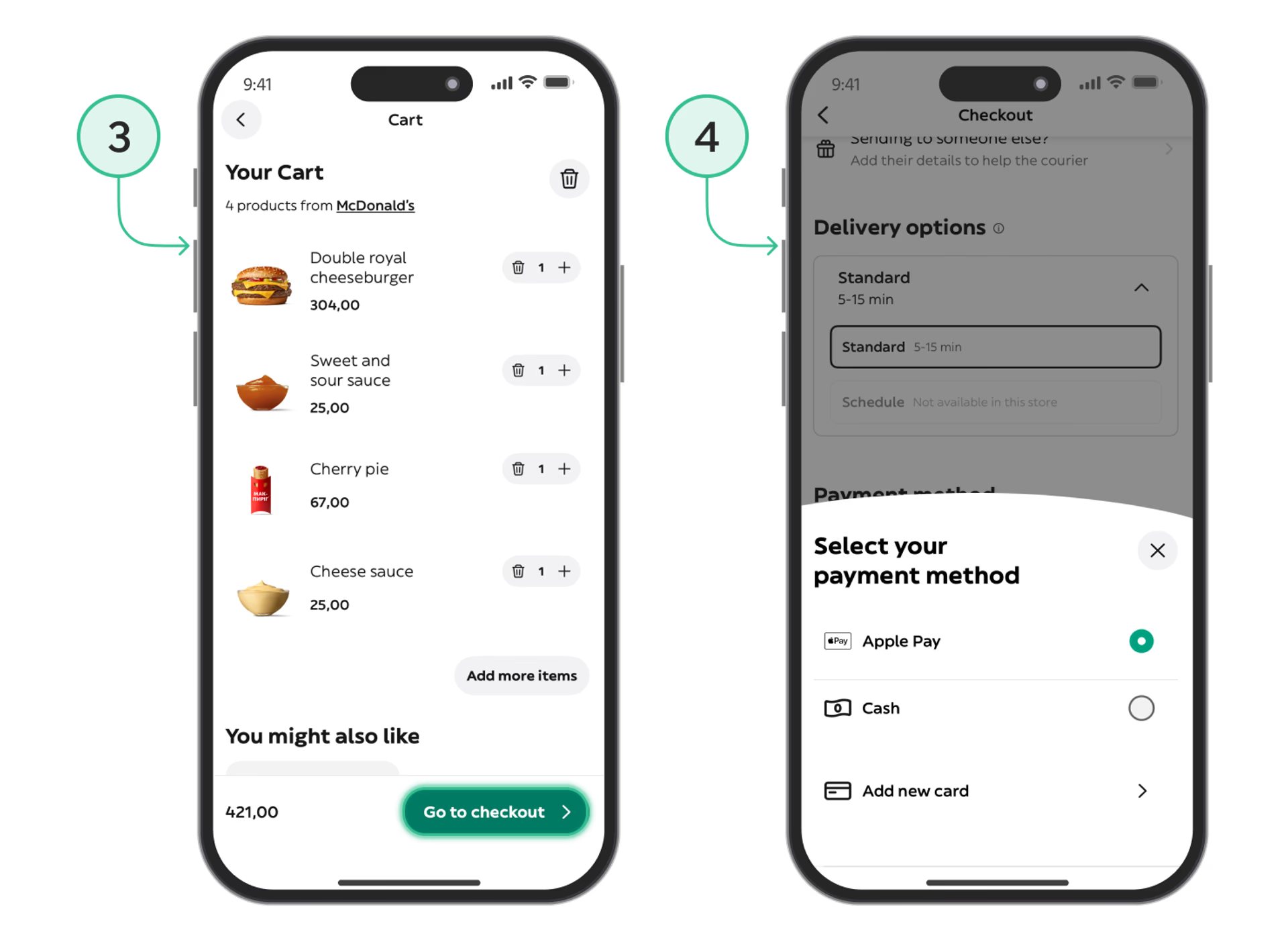
- Confirm the payment: authorize the transaction using Face ID, Touch ID or a password.
Done! The order is sent for processing, the courier heads your way, and the funds are debited directly from your crypto balance.
Conclusion
Thanks to the Trustee Plus + Apple Pay/Google Pay combination, you get a convenient payment bridge: your cryptocurrency is stored in a secure wallet, while payment for everyday food or grocery delivery is made instantly, transparently and without any hidden fees.