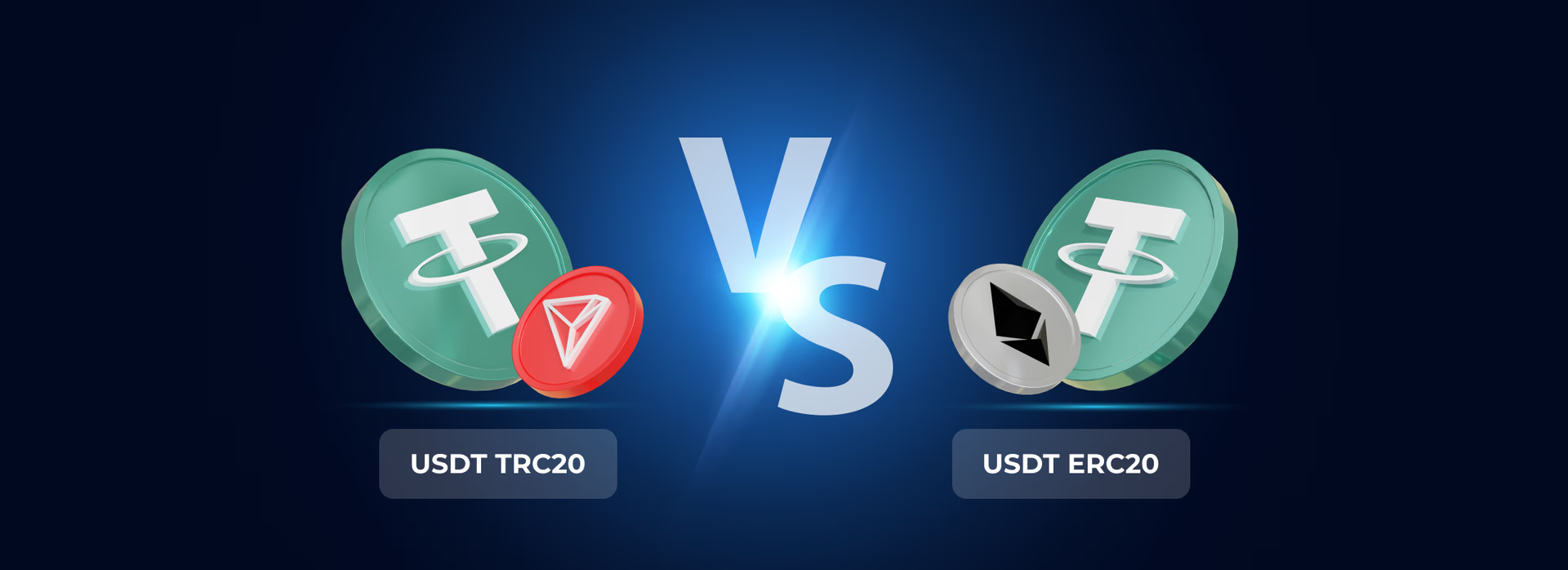





































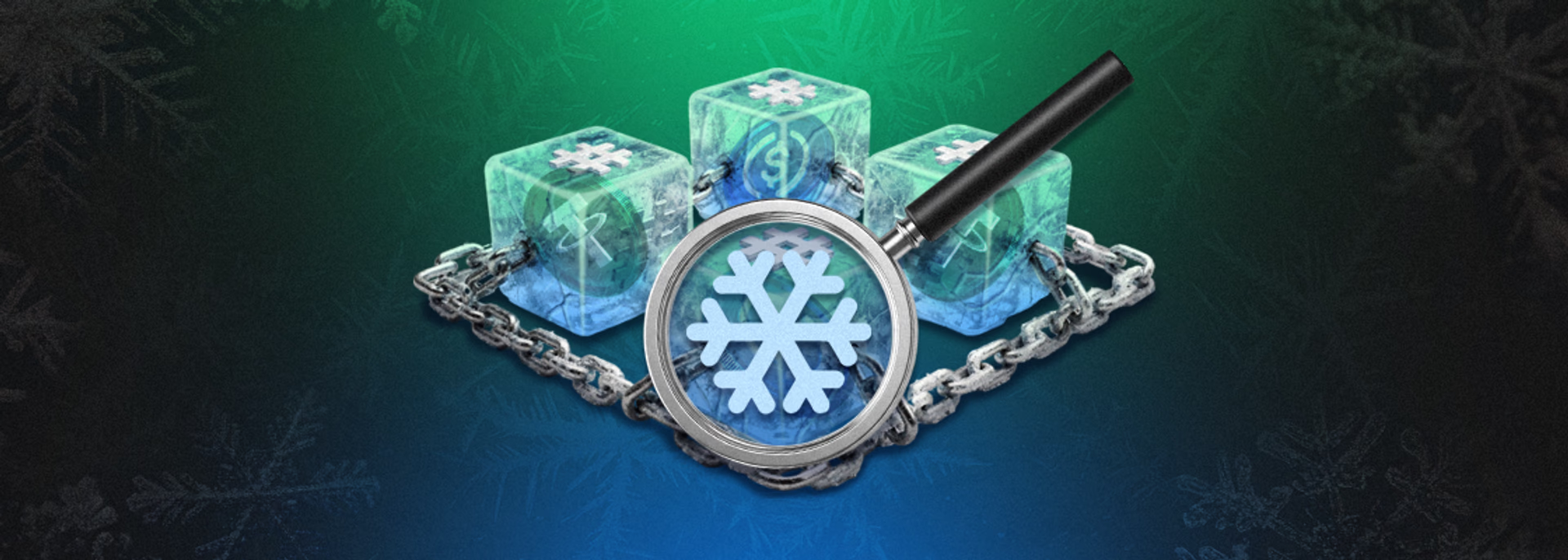



The stablecoins USDT and USDC are considered convenient cryptocurrencies for everyday payments, but they have an important feature: the issuers of these stablecoins (Tether and Circle) can freeze tokens at a wallet address via a smart contract. These methods have long been actively used to block funds linked to sanctions, fraud and other criminal activity.
Before you accept a large transfer or work with an unfamiliar wallet, it is useful to understand how to check a USDT address (TRC20 and ERC20) and a USDC ERC20 address for a freeze❄️, what a frozen address looks like and, most importantly — what to do if an address has already been blacklisted.
This is especially relevant if you plan to use USDT or USDC for everyday payments through a crypto card, where clean and accessible funds matter.
What does it mean when USDT and USDC stablecoins are frozen?
A freeze ❄️, i.e. adding an address to a blacklist, can happen at two levels:
-
Freeze by the issuer at smart contract level
USDT and USDC are implemented as tokens on different blockchains. Their smart contracts have special functions that cause an address to be added to a blacklist, making it impossible to send tokens from that address. This kind of freeze is visible in the blockchain explorer and applies regardless of the exchange or wallet you use.
-
Freeze at service level (exchange or custodial wallet)
Here, no token smart contract is required: the exchange or wallet simply blocks your account and does not allow you to withdraw funds. This kind of block is not visible on the blockchain itself, but you cannot access the assets through that specific service.
How to check an address for a freeze
The basic logic for checking a wallet is the same for both ERC20 and TRC20 tokens:
- Go to a blockchain explorer (Etherscan or Tronscan).
- Enter the wallet address you want to check.
- Look at the USDT/USDC balance and whether there are any labels or warnings (blacklisted, sanctioned, risky address, etc.).
- Go to the token contract page:
-
-
- the Contract/Read Contract tab;
- functions for checking blacklist status (the names may differ);
- in the events (Events/Logs) look for actions that add or remove the address from a blacklist.
-
A visible USDT balance does not always mean that funds can actually be moved. Some stablecoins may be restricted at the smart contract level, so users should understand how USDT works before interacting with suspicious wallets or large incoming transfers.
Checking USDT TRC20 (TRON) for a freeze
USDT TRC20 on the TRON network is one of the most popular stablecoins, and this is where the blacklist mechanism is actively used. A frozen address still shows a balance, but it is impossible to send USDT from it; in some cases tokens can even be destroyed by the issuer.
Since USDT TRC20 operates on the TRON network, most checks are performed through TronScan. If you have not used this explorer before, first read our article on how TronScan works and what data it shows for wallets, transactions, and smart contracts.
How to check:
- Copy your USDT TRC20 wallet address.
- Open Tronscan (the official TRON blockchain explorer).
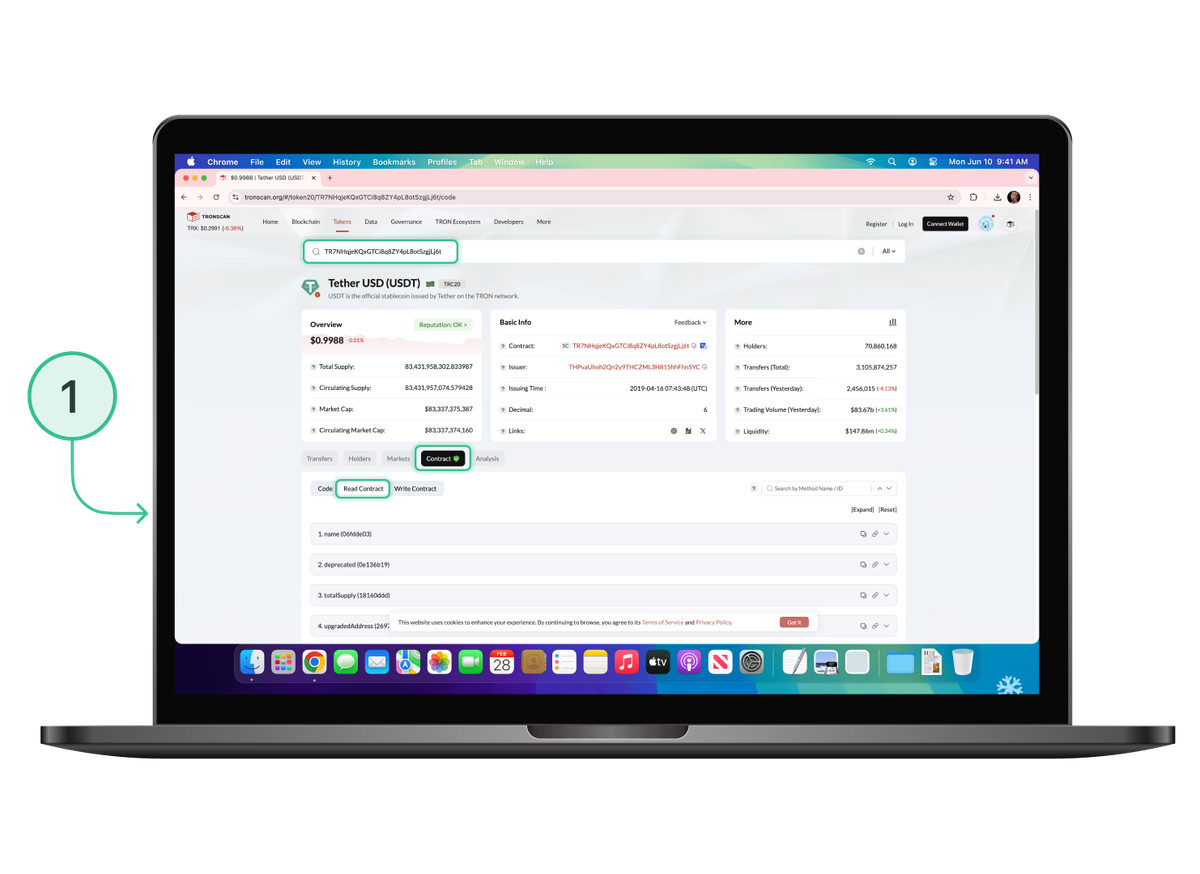
- Paste the USDT smart contract address (TR7NHqjeKQxGTCi8q8ZY4pL8otSzgjLj6t) or simply follow this link.
- On the smart contract overview page, select the Read Contract tab.
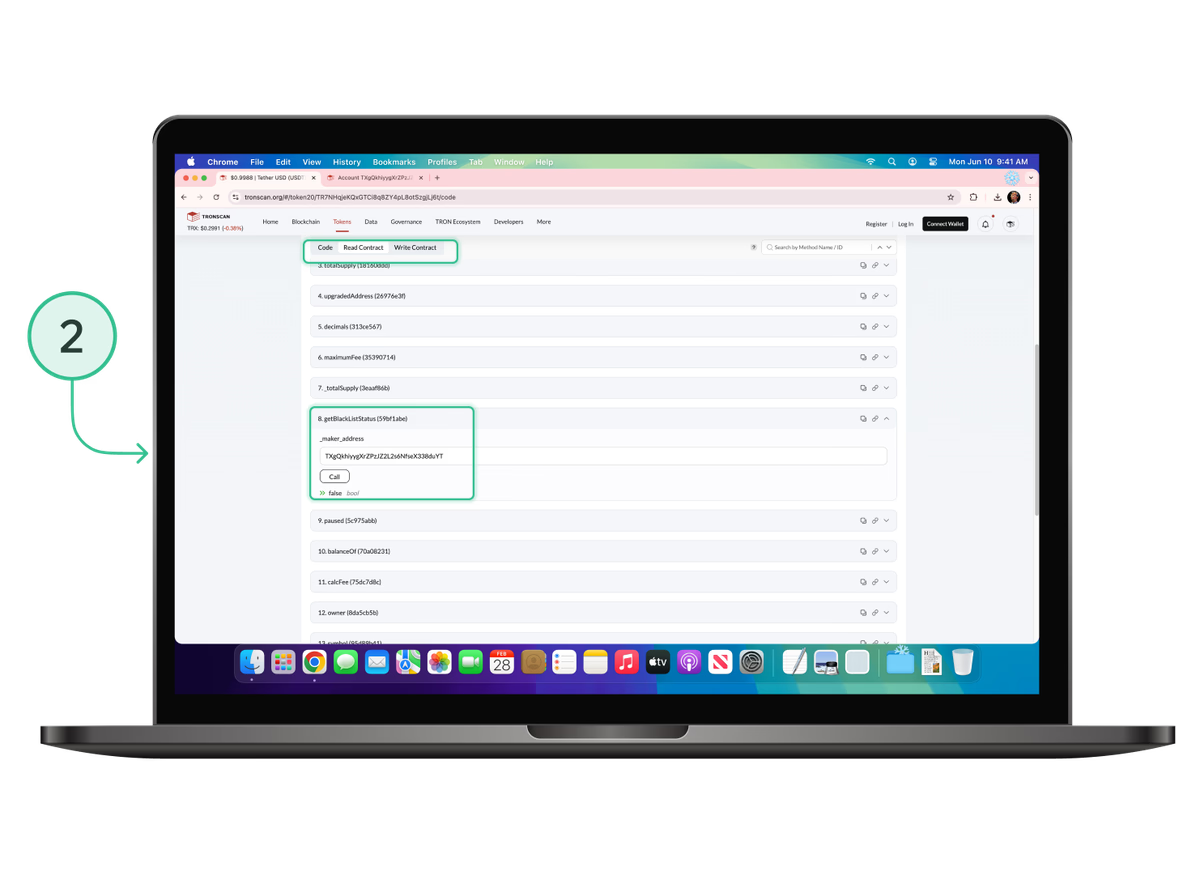
- Scroll down to item 8 (getBlackListStatus) or 17 (isBlackListed) and expand one of them.
- Paste your copied USDT TRC20 address into the field that appears and press Call. You will see one of two statuses: True or False.
It is worth noting that many analytics and AML services (Global Ledger, Chainalysis, AMLBot, Crystal Intelligence and others) add addresses to their own risk databases, which is not directly visible in a blockchain explorer but is visible to exchanges and custodial services that use these databases to check client deposits and withdrawals. In that situation, the status in the explorer does not matter.
Checking USDT ERC20 (Ethereum) for a freeze
For USDT ERC20 the instructions are similar, with a few nuances: the token is deployed on Ethereum, but the smart contract also supports a blacklist mechanism.
Instructions:
- Copy your USDT ERC20 wallet address.
- Open Etherscan (the official Ethereum blockchain explorer).
- Paste the USDT smart contract address (0xdAC17F958D2ee523a2206206994597C13D831ec7).
- On the smart contract overview page, select the Read Contract tab or simply follow this link.
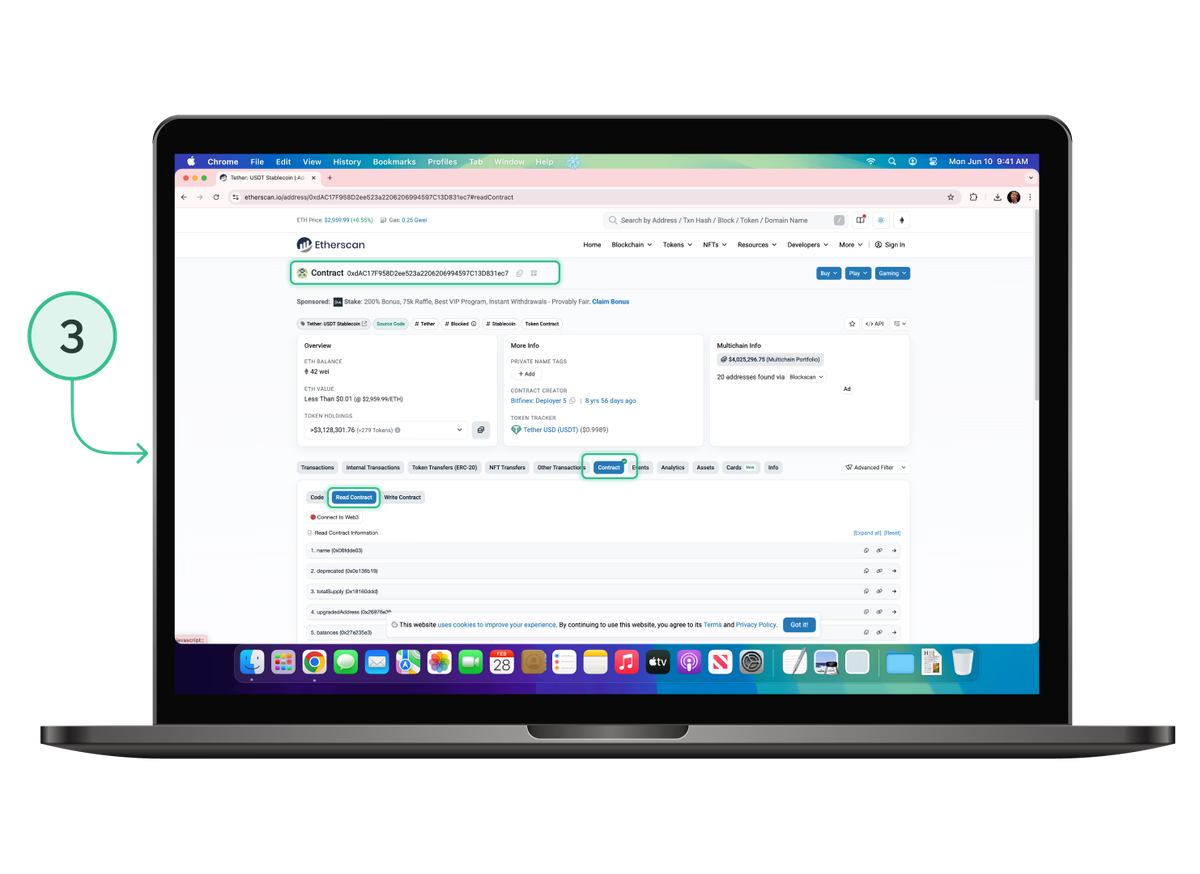
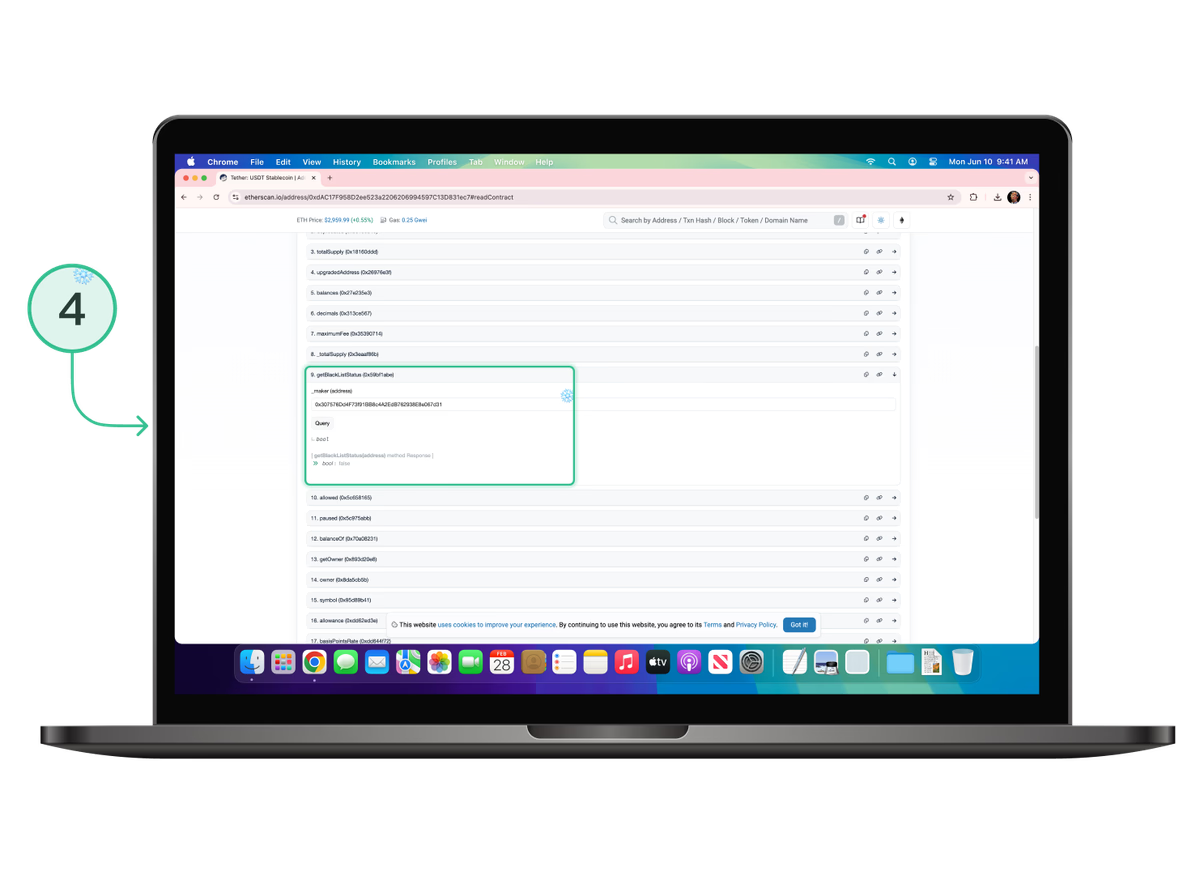
- Scroll down to item 9 (getBlackListStatus) or 18 (isBlackListed) and expand one of them. The Etherscan interface changes over time, so the line numbers may be different in future.
- Paste your copied USDT ERC20 address into the field that appears and press Query. Again, you will see one of two statuses: True or False.
Checking USDC ERC20 (Ethereum) for a freeze
USDC is a stablecoin issued by Circle that also has a built-in blacklist mechanism at smart contract level.
Checking a USDC wallet against the blacklist is almost identical to the two previous cases:
- Copy your USDC ERC20 address.
- Open Etherscan.
- Paste the USDC smart contract address (0xA0b86991c6218b36c1d19D4a2e9Eb0cE3606eB48).
- On the smart contract overview page, select the Read Contract/Read as Proxy tab or follow this link.
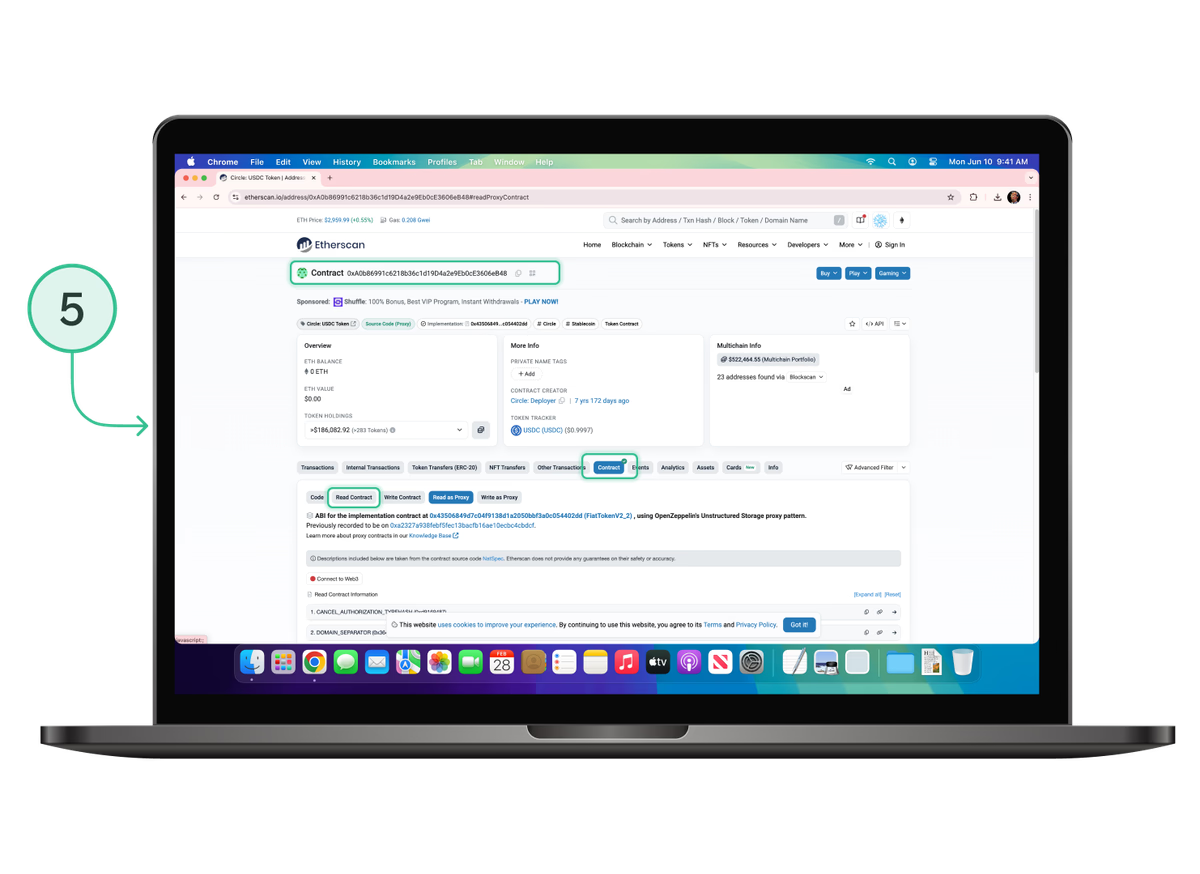
- Scroll down to item 12 (isBlackListed) and expand it.
- Paste your copied USDC address into the field that appears and press Query. You will see one of two statuses: True or False.
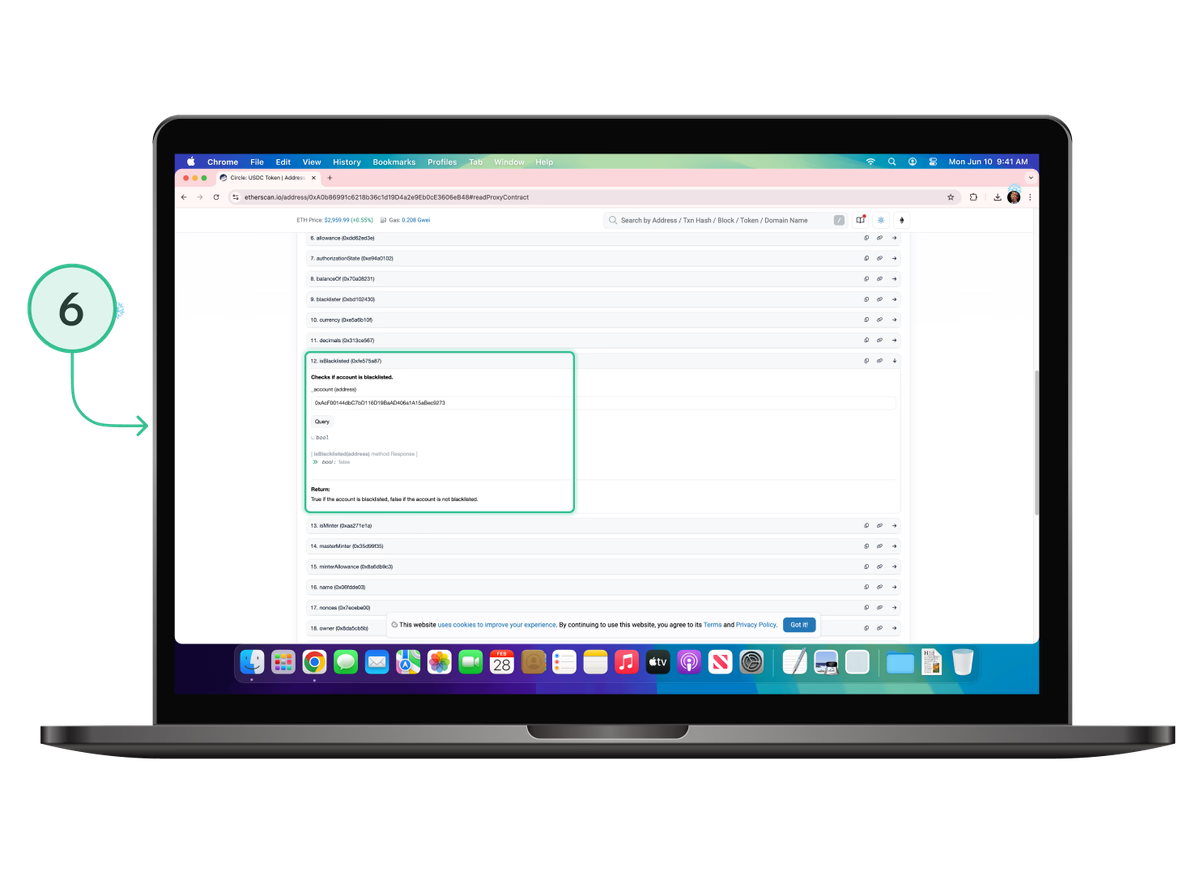
It is important to understand that if an address has been added to a blacklist, you will not be able to move USDC tokens; as with USDT, events in the contract logs can show when addresses have been added to or removed from the blacklist.
Limitations and “pitfalls”
Even if you have fully checked a USDT/USDC address for a freeze, there are still a few nuances:
- The blacklist can change at any time. The fact that an address is not currently frozen does not guarantee that Tether or Circle will not add it to the list later at the request of regulators, law enforcement agencies or analytics firms.
- Some restrictions are not visible at blockchain level. Exchanges, wallets and payment gateways use their own internal blacklists and risk scores. From the blockchain’s point of view an address may be ‘clean’, but the service can still refuse to deal with it. You can check an address or transaction for its Risk Score using our AML checker. This helps avoid unnecessary problems.
- AML and risk assessment go far beyond a simple contract blacklist. Analytics companies build complex transaction graphs and tag addresses using hundreds of criteria — ordinary users have limited access to this information.
- Some networks and tokens do not support a freeze function at contract level. And native coins such as BTC, ETH and TRX in their classic form cannot be blocked at blockchain level at all; freezes ❄️ are implemented specifically in the smart contracts of stablecoins and managed tokens.
What to do if your USDT or USDC has been frozen

If the block has occurred on an exchange or in a custodial service
Signs:
-
- you are unable to withdraw or transfer USDT or USDC;
- on the blockchain the tokens show on the exchange’s/service’s wallet, but no transactions are created.
Actions:
- Contact the service’s support team.
- Find out the reason for the block.
- If necessary, complete additional KYC/AML checks and provide documents proving the origin of the funds (receipts, statements, contracts, screenshots of trades).
- Keep all correspondence and receipts: they may be useful if the matter escalates to legal action.
If the block has occurred at smart contract level
Signs:
-
- USDT/USDC transactions are rejected by the network;
- when you check the address for a freeze ❄️, the status returned is True;
- in some explorers or third-party services the address is labelled as frozen, blacklisted or sanctioned.
Actions:
-
Gather as much information about the case as possible:
- where the funds came from (sender addresses, exchanges, exchangers, OTC);
- dates and amounts of the transactions;
- contacts and payment references (if any);
- your KYC data from exchanges where you bought or sold stablecoins.
-
Find the issuer’s official channels:
- for USDT — the special page on the Tether website;
- for USDC — the official support page on the Circle website.
-
Contact them using the official forms/channels:
- briefly describe the situation;
- attach the data and documents you have collected;
- politely request an explanation of the reasons for the freeze ❄️ and ask whether it can be lifted.
Assess the risks straight away. The issuer is not obliged to unfreeze an address, and in cases of serious violations (fraud, terrorist financing, money laundering, etc.) tokens may be destroyed or transferred to the authorities together with all available information about you and your activity.
How to reduce the risk of a USDT/USDC ban
- Work only with reputable platforms. Avoid anonymous exchangers and P2P platforms without a track record or reviews.
- Do not accept large sums from clearly high-risk sources:
- darknet marketplaces;
- addresses that regularly appear in scam schemes;
- addresses linked to sanctioned jurisdictions (some of this can be seen via public labels).
- Separate your flows. For personal and business transactions, use different wallets. It becomes easier to trace the origin of funds and reduce the risk of having your entire pool frozen.
- For large amounts, consult specialists. Crypto lawyers and AML experts can help you assess risks and set up a proper process for checking counterparties.
- Mini checklist before accepting a large transfer in USDT/USDC:
- check the sender’s address in a blockchain explorer;
- if possible, check it against public risk databases or monitoring services;
- ask your counterparty about the source of funds (exchange, business, OTC).
Conclusions
Checking USDT TRC20/ERC20 and USDC addresses for freezes and blacklist status is no longer an exotic extra step but a key part of basic hygiene when working with stablecoins. The freeze ❄️ mechanism is implemented and embedded at smart contract level and allows token issuers to block tokens at a wallet address in a matter of seconds.
However, the best form of protection is prevention: careful selection of counterparties, services and platforms.