














































How to top up your wallet with cryptocurrency
Trustee Plus offers several ways to add crypto to your wallet:
Receive crypto from another wallet, service, or exchange. Here’s how:
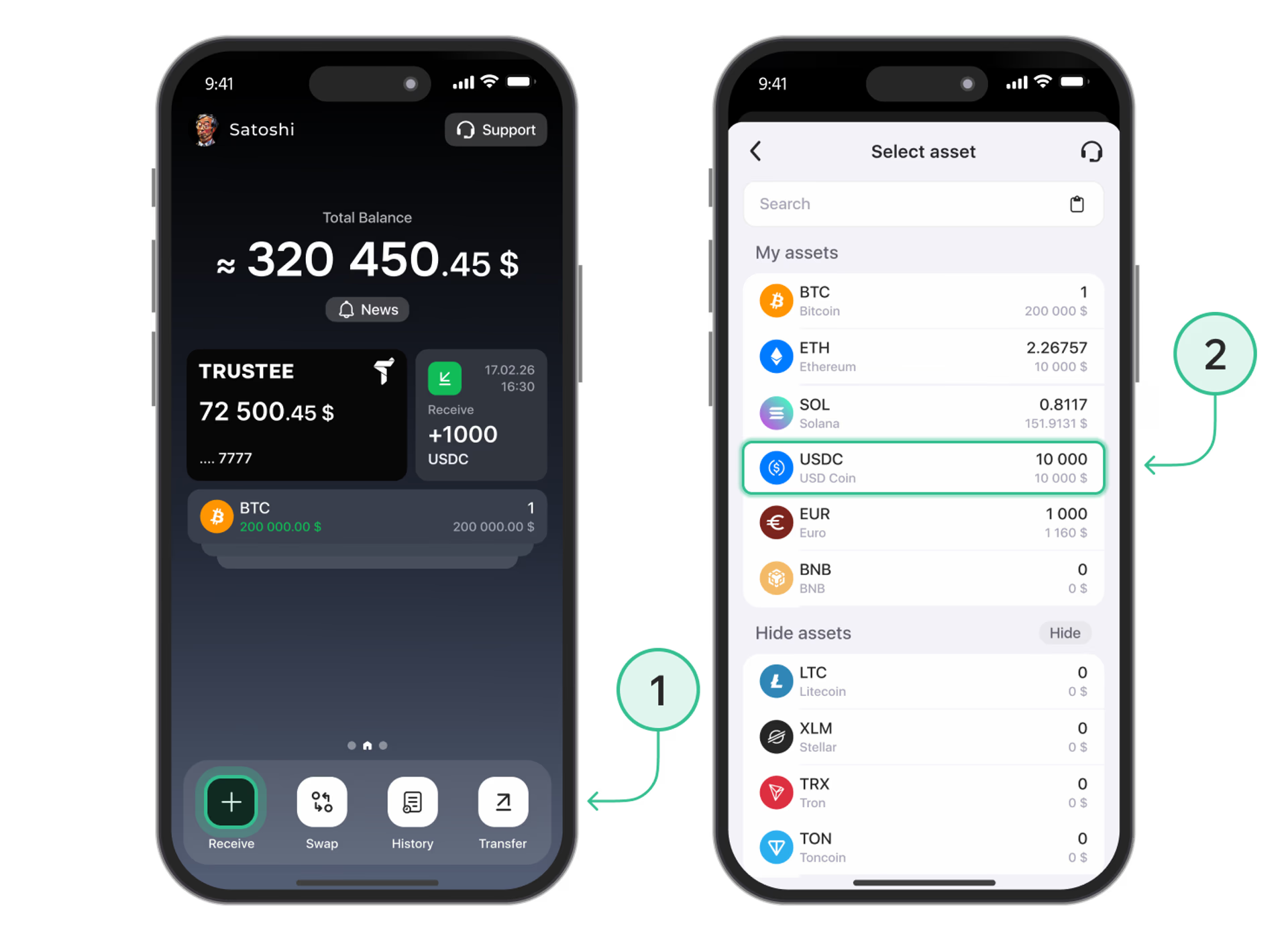
- Click on the “Receive” button in the main menu of service;
- Choose cryptocurrency;
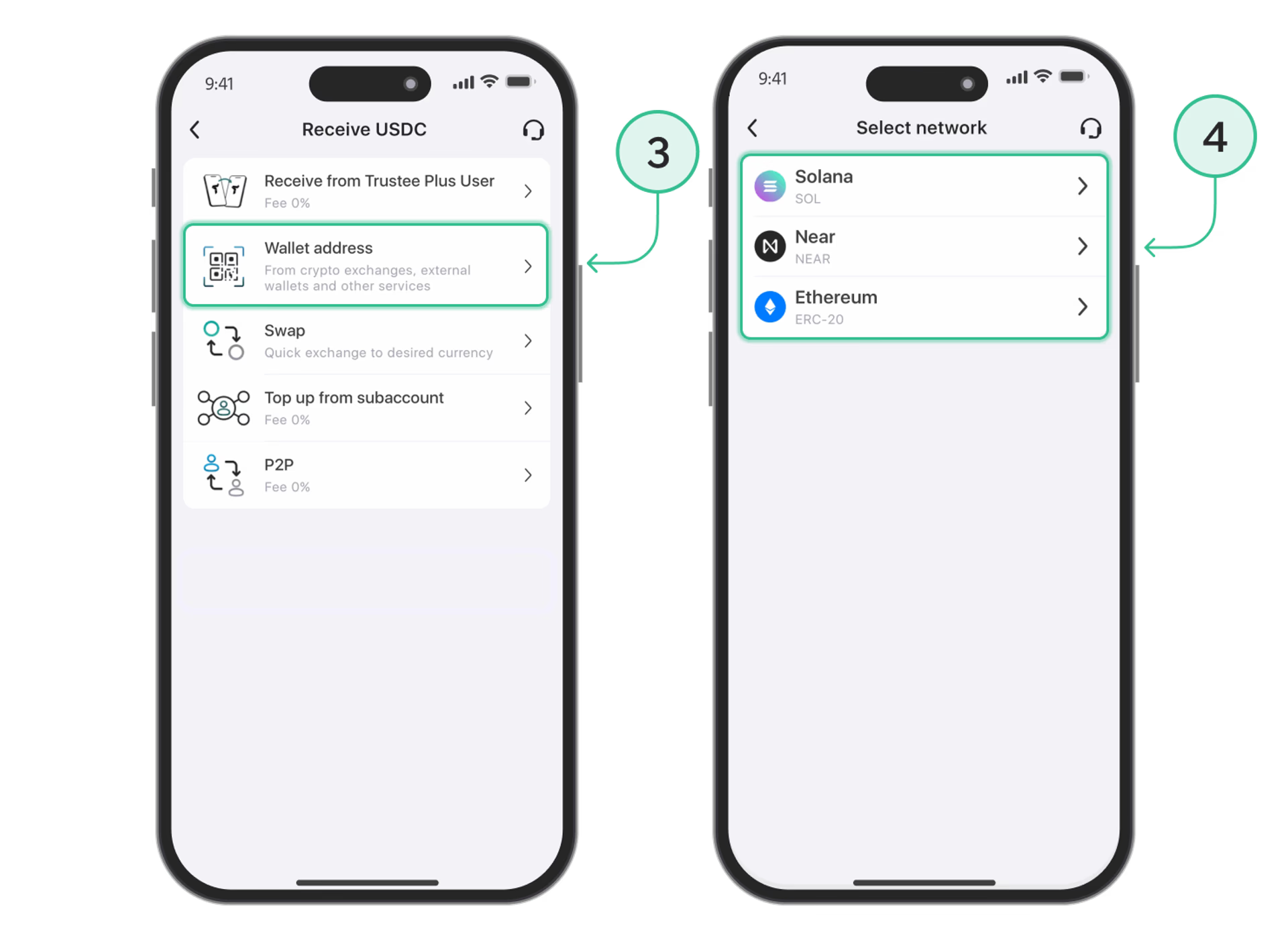
- Choose the type transfer – “Wallet address”;
- If necessary, choose a network. For example, this is required when transferring USDC;
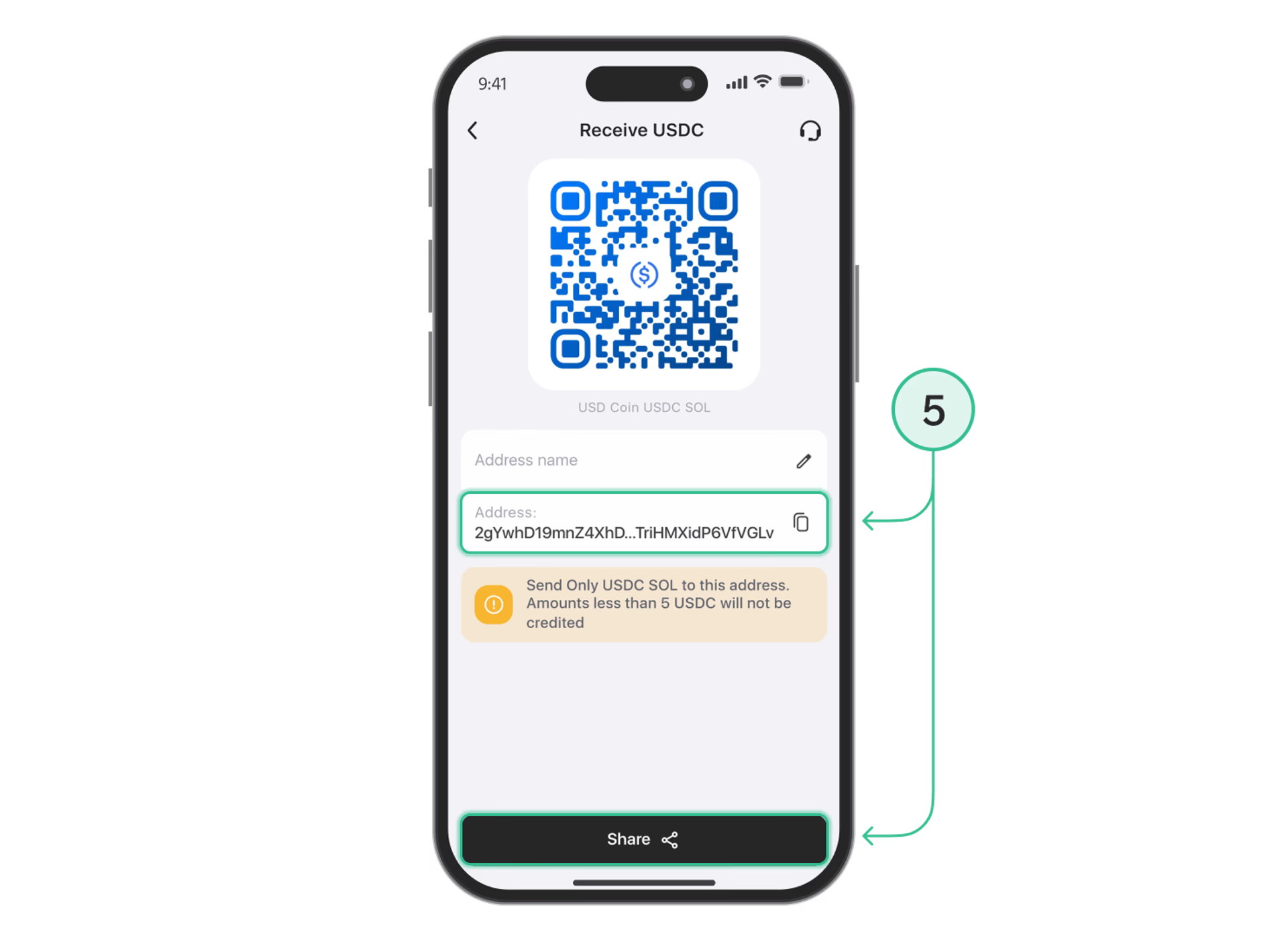
- The cryptocurrency address will appear in the menu that opened: you can copy it or send it via messenger in the form of QR code using the button “Share”.
Receive funds from another Trustee user. To do this, send him/her your account ID or phone number. Here's how:
- On the main screen, click on the “Profile” in the upper left corner;
- Click on the “Profile” again – the field with your login and phone number;
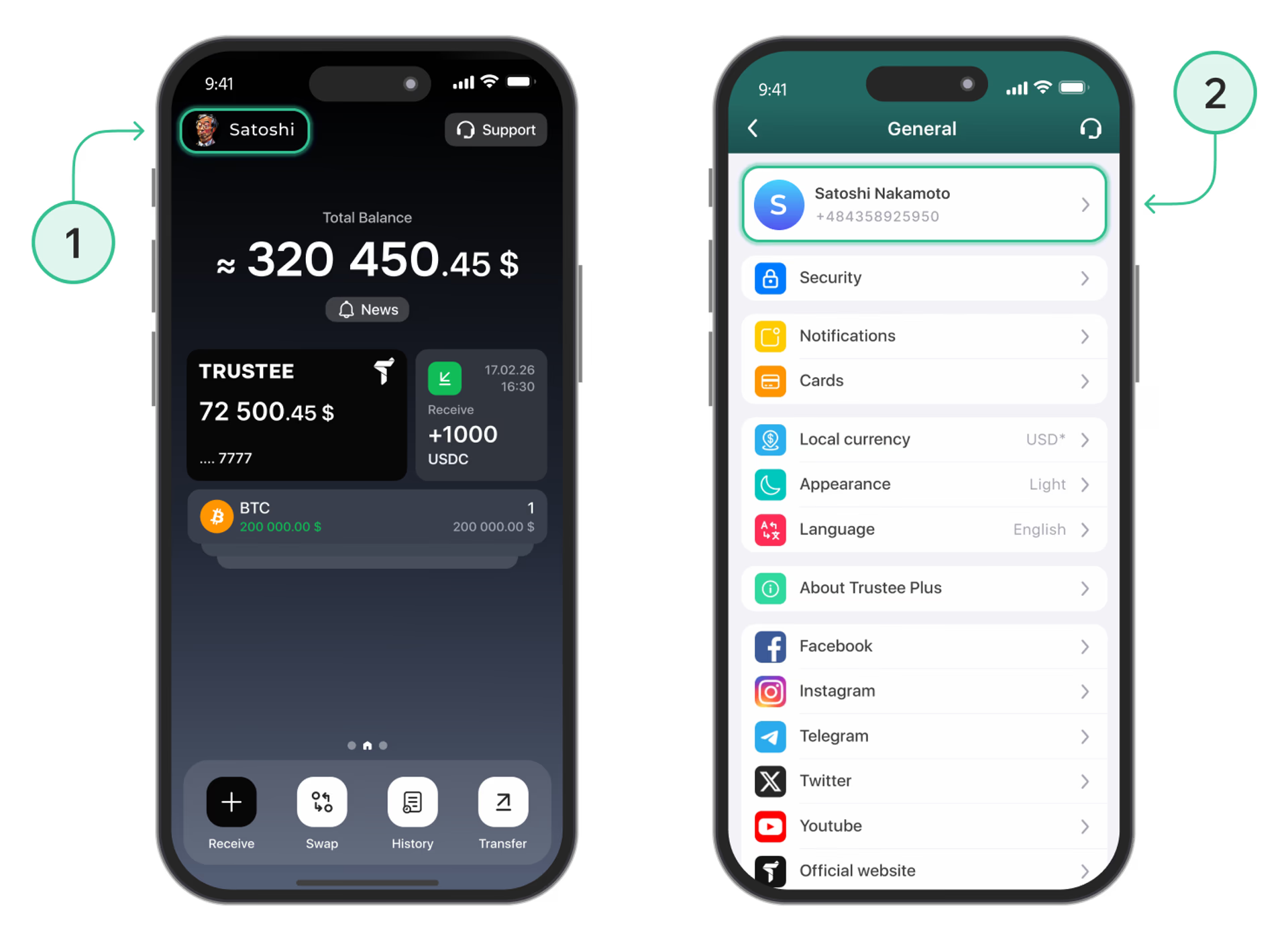
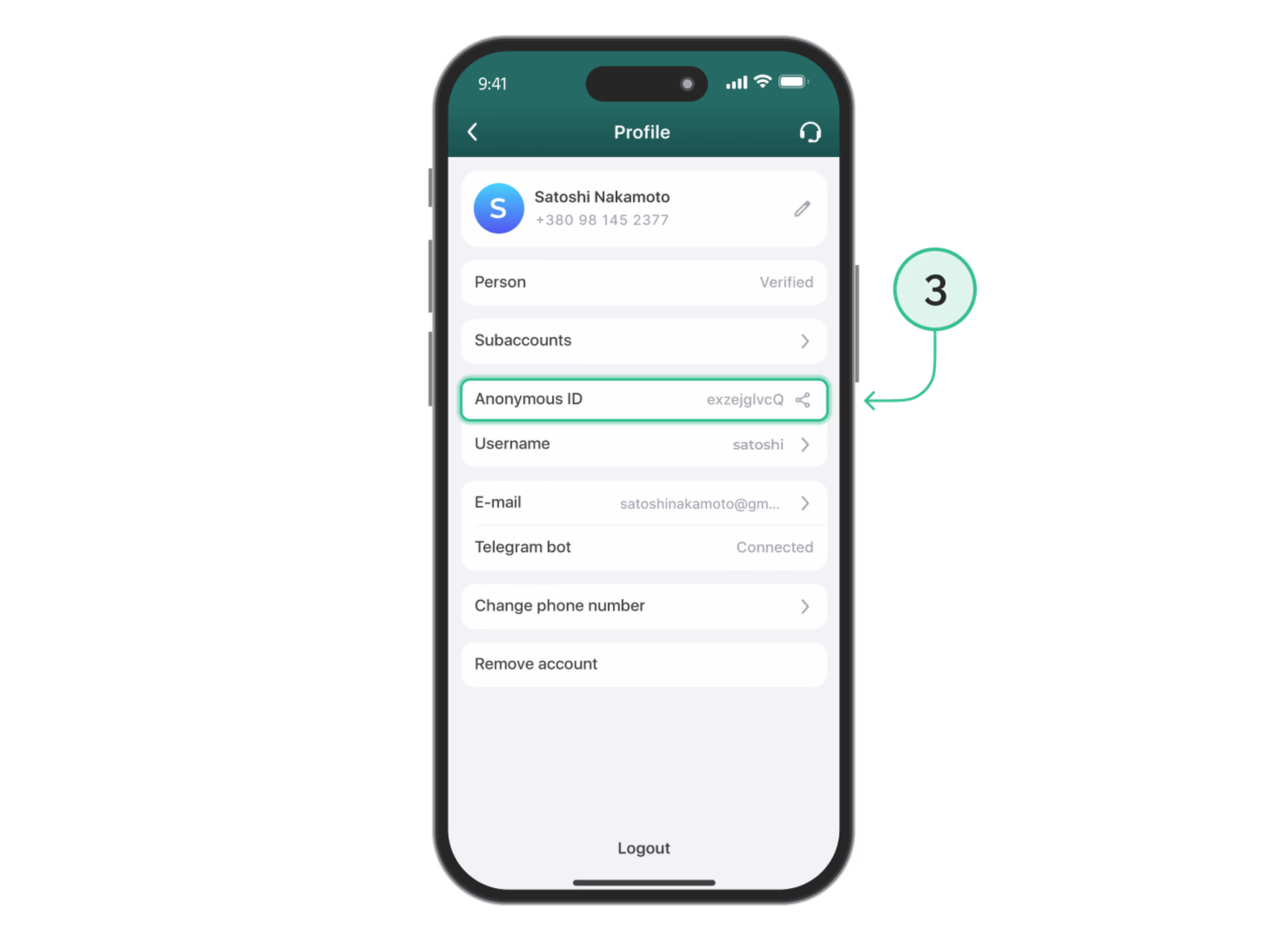
- Click on the “Anonymous ID” and choose the method of sending.
Install Trustee Plus - a crypto wallet with payment card!
All the benefits in one app



This website uses cookiesIn order to ensure the functionality of the Website and to prepare a statistical analysis of the website visitors' navigation methods, we use cookies. Manage preferences